
GETSTENCIL – IMAGE EDITOR
GetStencil is the image editor software that I use to create header images. The image headers you see for these posts were created with GetStencil and I use it because I can quickly and…


Recommendation breakdown
What to know before you try it.
GetStencil is the image editor software that I use to create header images. The image headers you see for these posts were created with GetStencil and I use it because I can quickly and…
My take
How this tool fits a real workflow
GetStencil is the image editor software that I use to create header images. The image headers you see for these posts were created with GetStencil and I use it because I can quickly and easily edit the header images by just replacing the text, background image and the icon image.
There are many templates included in GetStencil but I don’t use these all the time. I just create a template for each site I manage and then update the header based on the website.
There are also thousands of photos and icons included in GetStencil and there is an option to upload your own photos or fonts. You also have the option to add logos and branding by using a simple switch button.
PRICINGS
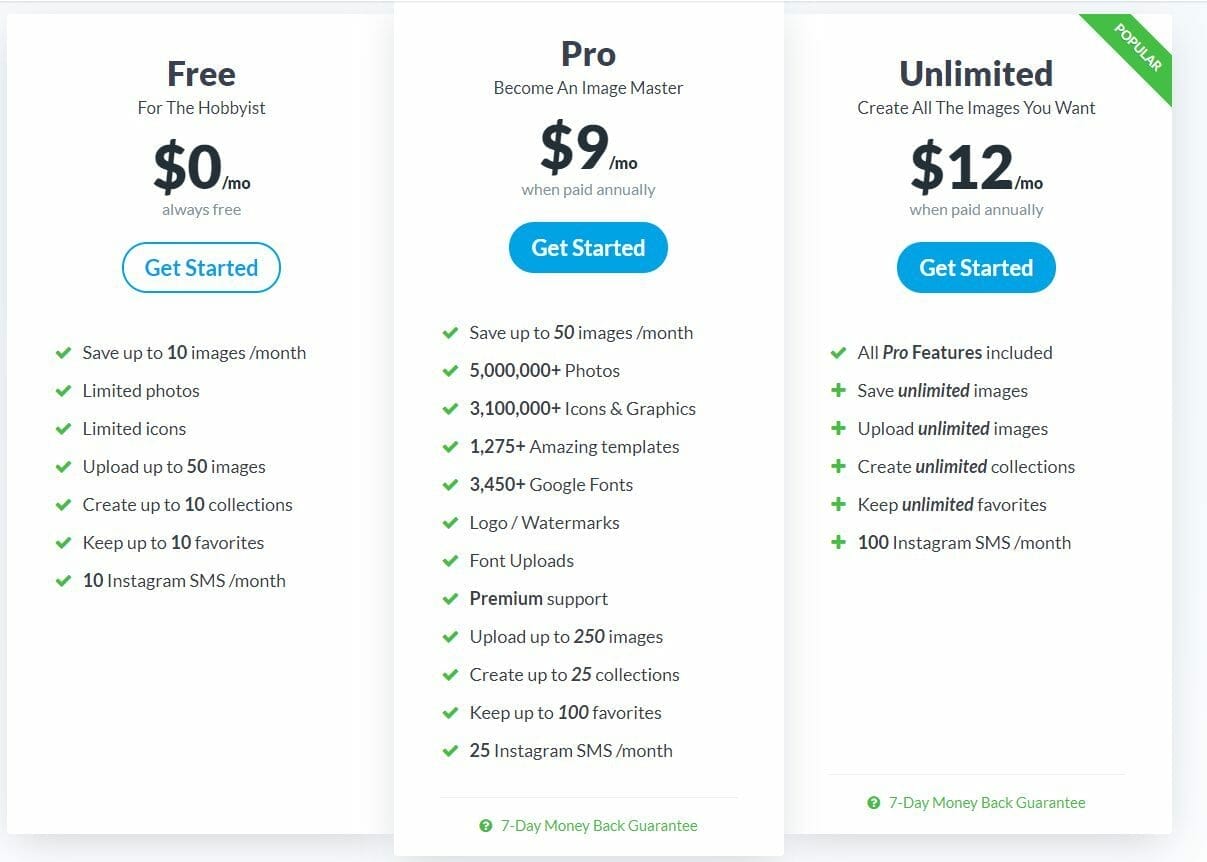
The FREE account $0/mo:
- Save up to 10 images /month
- Limited photos
- Limited icons
- Upload up to 50 images
- Create up to 10 collections
- Keep up to 10 favorites
- 10 Instagram SMS /month
You can upgrade the account to the Pro or Unlimited Plans
The Pro plan costs $9/month
- Save up to 50 images /month
- 5,000,000+ Photos
- 3,100,000+ Icons & Graphics
- 1,275+ Amazing templates
- 3,450+ Google Fonts
- Logo / Watermarks
- Font Uploads
- Premium support
- Upload up to 250 images
- Create up to 25 collections
- Keep up to 100 favorites
- 25 Instagram SMS /month
The Unlimited Plan costs $12/month
- All Pro Features included
- Save unlimited images
- Upload unlimited images
- Create unlimited collections
- Keep unlimited favorites
- 100 Instagram SMS /month
I have not used the Instagram feature so I cannot comment on whether this works.
Need help?
Need help using this tool?
Book time with Marco to talk through setup, workflow fit, or practical ways to use GETSTENCIL - IMAGE EDITOR in your business.
Related articles
More notes on this tool.
Extra context, walkthroughs, and practical lessons from the journal.

HOW TO CREATE AMAZING DESIGNS AS A NON DESIGNER
I'm not a designer but I'm going to show you how to create amazing designs as a non…
Read article
QUOTES QUOTES QUOTES
Most of my day was spent preparing quotes. We receive enquiries from all over the world and this…
Read articleMore tools
Related recommendations

DESIGNEVO - LOGO CREATOR
DesignEvo is a cloud-based tool that specifically creates awesome looking logos. Unlike many other image editing tools, this one purely has one…