
BETTER UPTIME – MONITORING TOOL
Better Uptime is my go-to tool for website or device monitoring. Having worked as a network engineer in the past, I have a full understanding of the features Better Uptime offers.




Recommendation breakdown
What to know before you try it.
Better Uptime is my go-to tool for website or device monitoring. Having worked as a network engineer in the past, I have a full understanding of the features Better Uptime offers.
My take
How this tool fits a real workflow
Better Uptime is my go-to tool for website or device monitoring. Having worked as a network engineer in the past, I have a full understanding of the features Better Uptime offers. If you’re a small or medium business or a website owner that manages multiple websites then getting this tool is a no brainer. Here’s a list of all the features Better Uptime offers (since publishing this article – they are constantly releasing new features so make sure you check out their website):
Alerting
- E-mail alerts
- Slack, MS Teams
- Phone call alerts
- SMS
- Push notifications (iOS & Android)
- Zapier
- Webhooks
Incident management
- Second by second incident timeline
- Smart incident merging
- Post-mortems
- On-call calendar & scheduling
- Comments & Collaboration
- Advanced incident escalation rules
- Manually triggered incidents (Slack & Web)
- On-call calendar ICS export
- Google & Outlook Calendar integration
Uptime monitoring
- HTTP(s) keyword checks
- Screenshots & error logs
- Multi-location & Geo-specific checks
- Multi-step incident verification
- Heartbeat monitoring
- SSL monitoring
- Ping
- TLD expiration monitoring
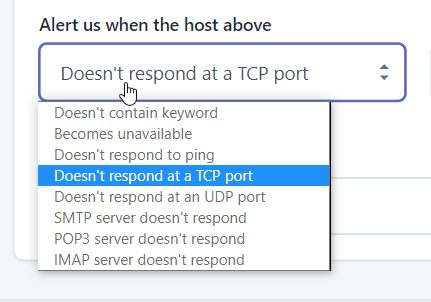
- TCP/UDP port monitoring
- POP3/IMAP/SMTP
- DNS server monitoring
- Status pages
- Custom sub-domain with HTTP(s)
- Customizable design
- Public status subscriptions (E-mail & API)
- Google Analytics pixel
- Google Search opt-out
- Password-protected status page
- Embeddable system status notice
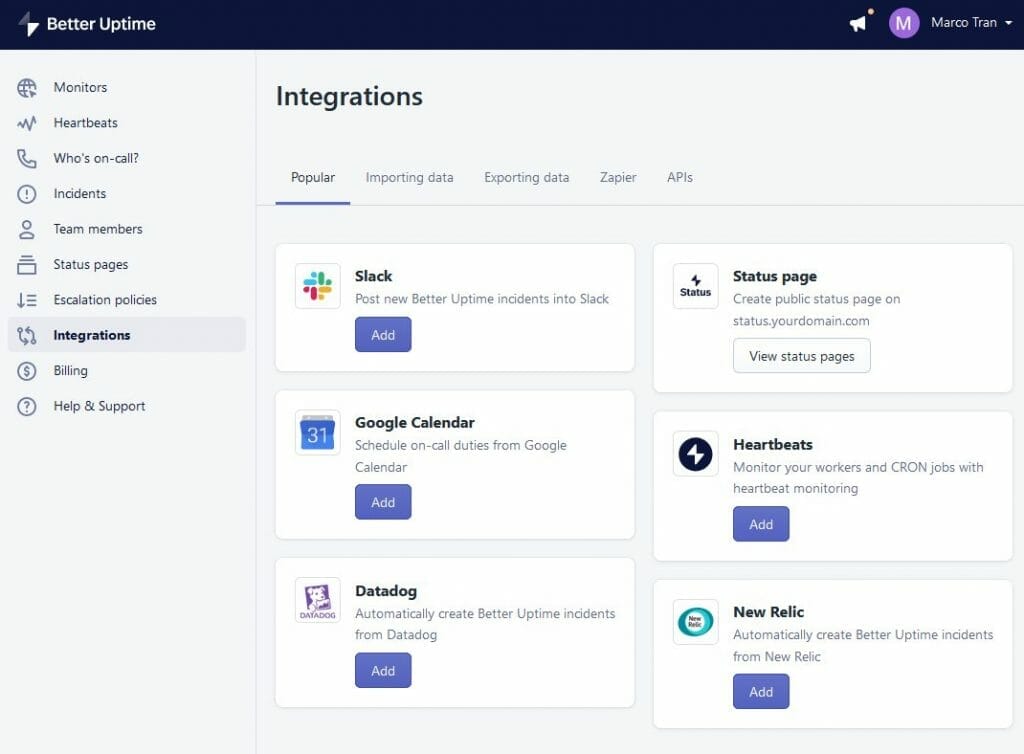
Integrations
- Restful HTTP API
- Heroku
- E-mail incidents
- Datadog
- New Relic
- Grafana
- Prometheus
- Splunk On-Call (VictorOps)
- Zabbix
- AWS Cloudwatch
- Google Cloud
- Microsoft Azure
Reporting & Analytics
- Historical uptime & SLA
- Incident cause synthesis
- Team member-based segmentation
Security & Privacy
- GDPR-compliant
- Two-Factor Authentication
- Role Based Access Control
- Multiple Teams
- Single Sign On
- Audit Logs
Customer Support & Success
- E-mail Support
- Phone Support
- Product Strategy Session
- Dedicated Customer Success Manager
- Custom SLA
Now, if you’re not very technical then don’t worry, Better Uptime is very easy to use and their support time will be able to help you and guide you through the entire onboarding process. A bit thumbs up for the support team.
PRICINGS
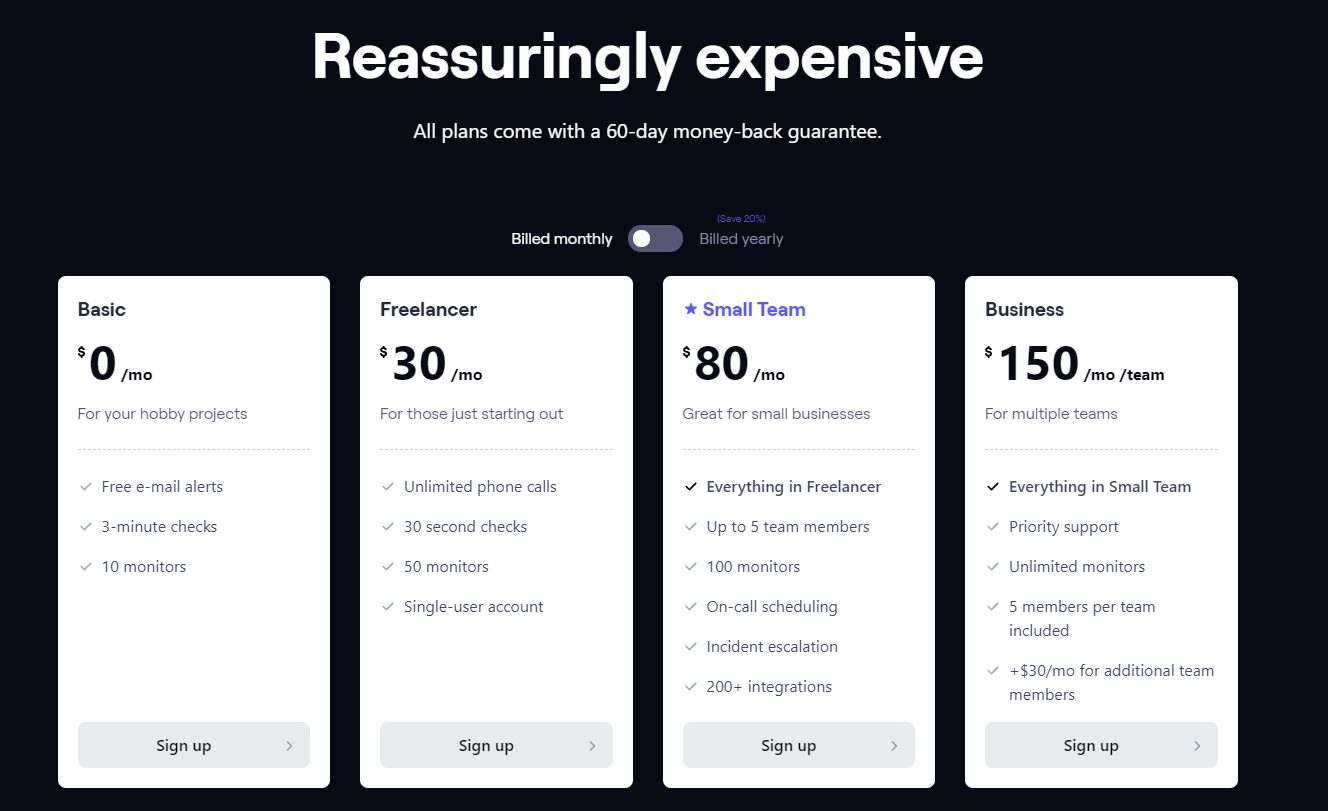
BASIC $0/month
- Free e-mail alerts
- 3-minute checks
- 10 monitors
This should be sufficient if you just need to monitor several websites and don’t need all the additional features. For a business owner who just has 1 website, you can use this. If you need the additional features then upgrade to one of the below plans.
Freelancer $30/month
- Unlimited phone calls
- 30 second checks
- 50 monitors
- Single-user account
Small Team $80/month
- Everything in Freelancer
- Up to 5 team members
- 100 monitors
- On-call scheduling
- Incident escalation
- 200+ integrations
Business $150 /mo/ team
- Everything in Small Team
- Priority support
- Unlimited monitors
- 5 members per team included
- +$30/mo for additional team members
Need help?
Need help using this tool?
Book time with Marco to talk through setup, workflow fit, or practical ways to use BETTER UPTIME - MONITORING TOOL in your business.
Related articles
More notes on this tool.
Extra context, walkthroughs, and practical lessons from the journal.

HOW TO SETUP YOUR FIREWALL WITH BETTERUPTIME
I've been using BetterUptime for the past few months to monitor our different websites and it's such a…
Read article
BETTER UPTIME NEW FEATURES – MONITOR YOUR WEBSITE
In a previous post, I talked about a tool I use called Better Uptime, you can read about…
Read article
WEBSITE MONITORING AND STATUS PAGES
If you're a digital marketer, entrepreneur, a small/medium/large business owner or just a hardcore techie that owns or…
Read articleMore tools
Related recommendations


BLURWEB APP - HIDE SENSITIVE INFORMATION
Blurweb app is a web addon/extension used on browsers to hide sensitive information.