SYMPTOMS
Wireless dropouts, disconnections and slow speeds. This seems to happen to any device connected to the Wireless Router and both on 2.4Ghz and 5Ghz bands.
TESTING
Connected via wireless using a mobile, tablet or laptop doesn’t make a difference. Using a network cable to the Wireless Router doesn’t seem to have the issues. This confirms it’s just related to wireless.
FIX
Please note this may not work for everyone but it’s worth giving it a try. You will need access to your wireless router for the first option and change the wireless channel from auto. Every router will have this option located on a different page. Generally, this option would be located on the Wireless Page and there will be a wireless channel to set for both bands.
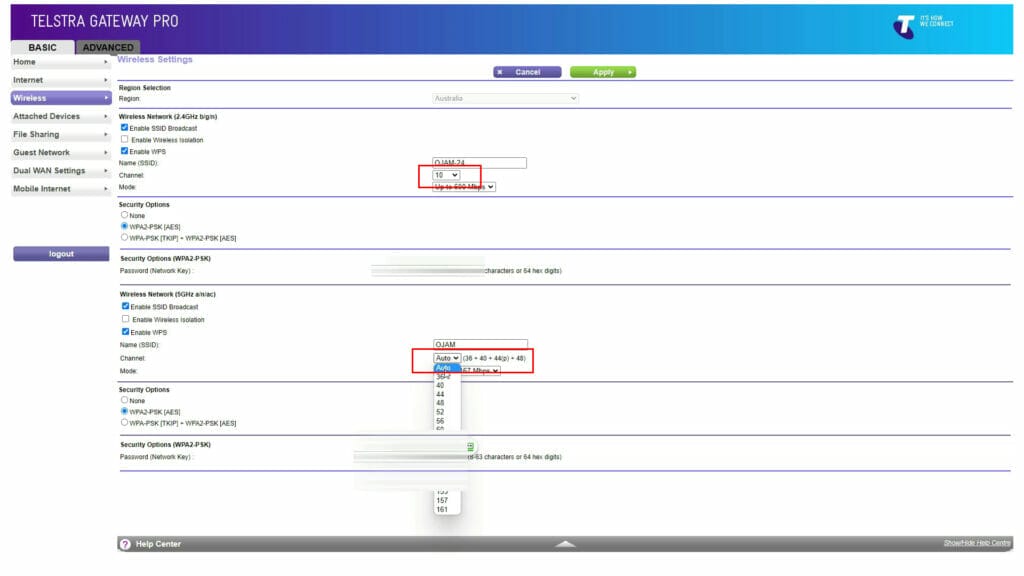
By default, the wireless channel bands are set to auto and if you have many wireless routers around your home or at your apartment complex, then there is a high chance thee will be wireless band conflicts. Once there are conflicts, two routers will be sending wireless data on the same band which would cause issues such as dropouts.
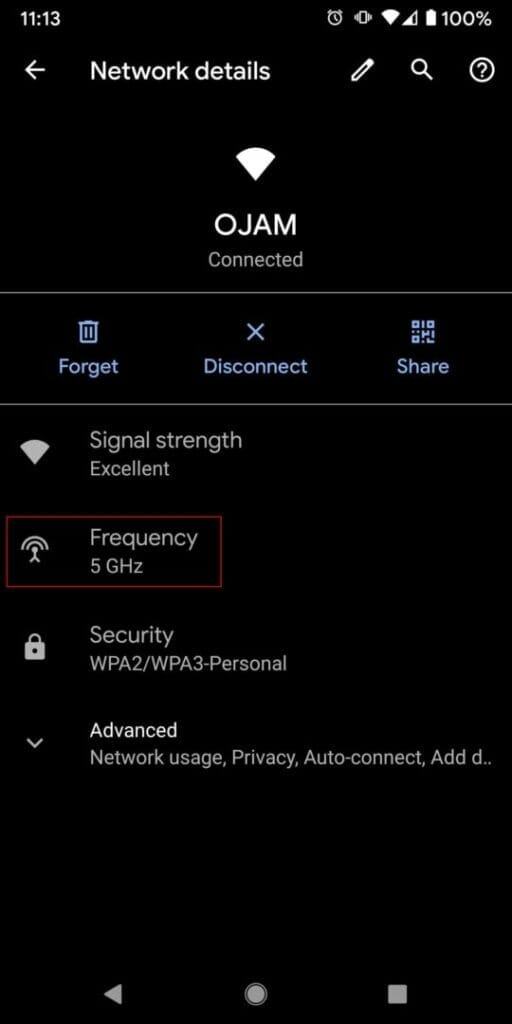
Now, if you’re getting dropouts because the wireless signal is low, then you may want to check which band your connection is on. Generally, you will see band 2.4 or 5 on the wireless SSID name. If you don’t then you can just use your mobile, connect to the wireless and then go to the wifi settings to see which band it’s connected to.
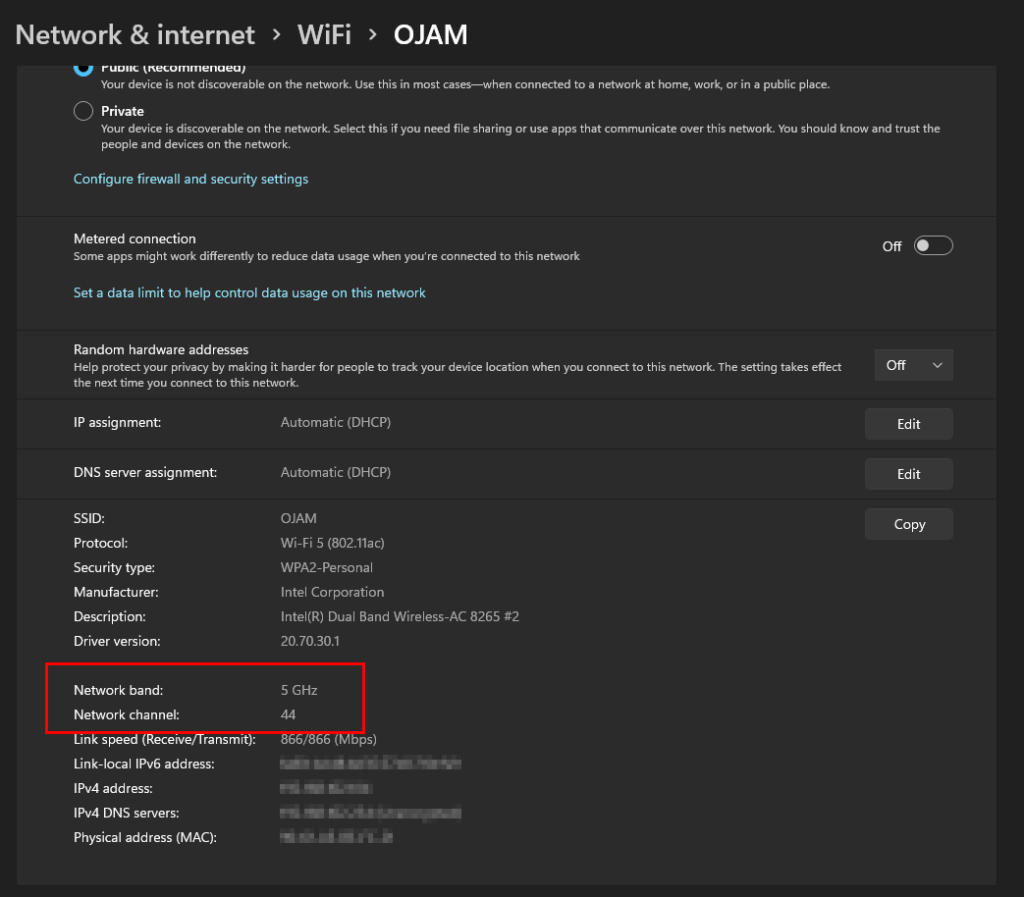
If it’s connecting to 5Ghz, try changing it to 2.4Ghz. This will drop the speed of the wireless, but if your Internet connection speed is less than 100Mbps then changing to 2.4Ghz doesn’t make that much of a difference as the connection is limited by the Internet speed. Changing to 2.4Ghz also increases the range of the wireless so the device will have a stronger and better connection.