

For those of you who use Google Chrome, you will already know that Chrome is a memory “hog”. When using Chrome on a Windows operating system, you will notice a significant spike as soon as you launch Chrome and the memory keeps increasing as you open more tabs. Here’s an example of my current memory usage on my Windows 11 laptop task manager:

I currently have 14 Chrome tabs open and the Google Chrome process shows there are (59) and totalling almost 4.5GB of memory. Fortunately I have 32GB of memory on the laptop so my memory performance is still good. However, if you only have 8 GB of memory or less, you may want to think about upgrading your memory amount.
On Chrome version 111.0.5563.147 (what I’m currently using), has a performance-saver option that is meant to save your memory for inactive tabs. When I tested this option, it didn’t make that much of a difference but first let me show you how to enable this feature. Just follow these steps:
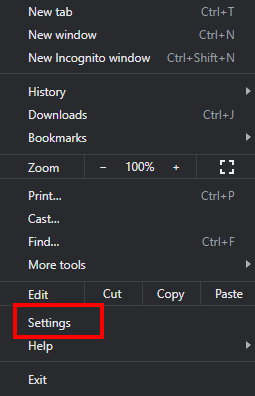
In Chrome, on the top right-hand corner click on the menu button ( 3 dots)

Click on Settings
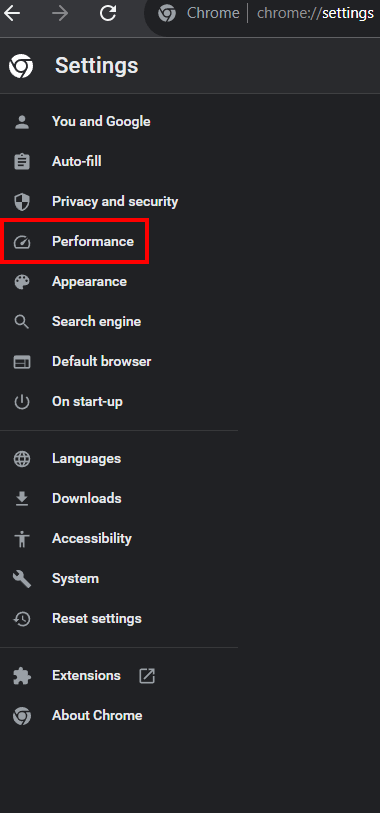
Click on Performance
Make sure the toggle for Memory Saver is on the right-hand side.
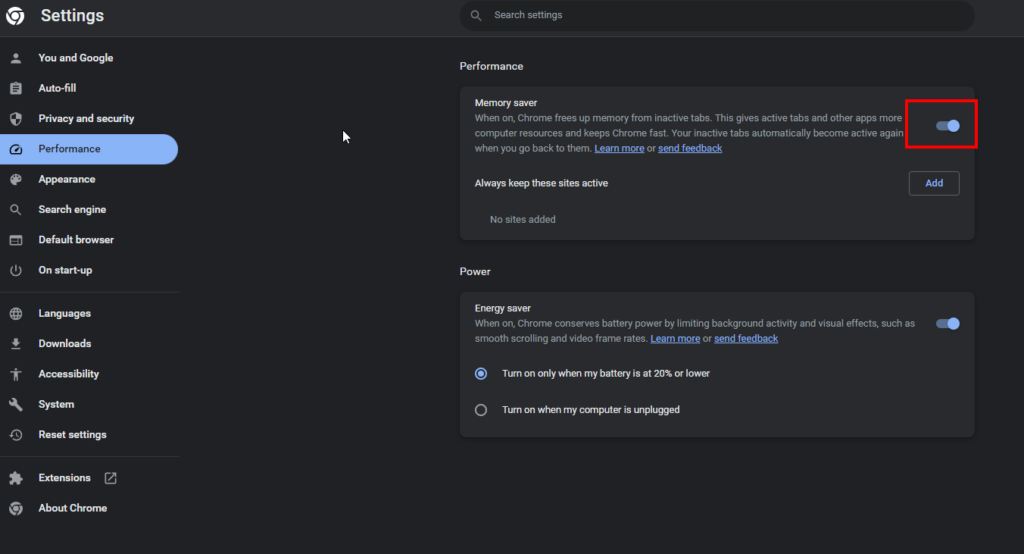
You can add a list of websites to make sure the sites are always active. As I mentioned before, I didn’t notice any particular difference in the amount of memory being used after having this switched on and there was no way to determine which tabs were saving memory but I did see one tab having the memory saver icon displayed next to the bookmark icon and displayed how much memory it saved and it was only 100MB.
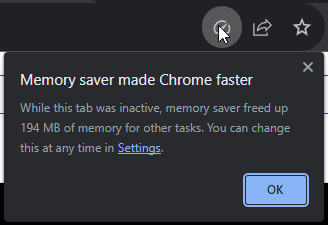
If the memory saver is activated for that Chrome tab, you will see this icon.
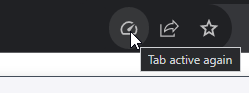
If you click on it, you will see how much memory the Memory Saver saved. In this case, it was 194MB, although the memory usage for the Chrome process was still high.
According to the Google support website, this is what the option is meant to do:
To save your computer’s memory and help active tabs run smoothly, Chrome deactivates tabs that you aren’t currently using. When you access an inactive tab, it automatically reloads.
- Some settings and activities on your computer may prevent tab deactivation.
- Active audio or video (playback or calls)
- Screen share
- Page notifications
- Active downloads
- Partially filled forms
- Connected devices (USB or Bluetooth)
Here’s a video on Testing the Chrome Performance Saver:




