How To Dec 31, 2023 1 min read

CAN YOU CONNECT THE APPLE MAGIC MOUSE 2 WITH WINDOWS 11?

If you have an Apple Magic Mouse 2 and plan to use it both on your Mac and a Windows PC, then you’re in luck. You can use the Apple Magic Mouse 2 on a Windows 11 device and all you need to do is follow these steps:

  • Make sure Bluetooth is turned on your Windows 11 device
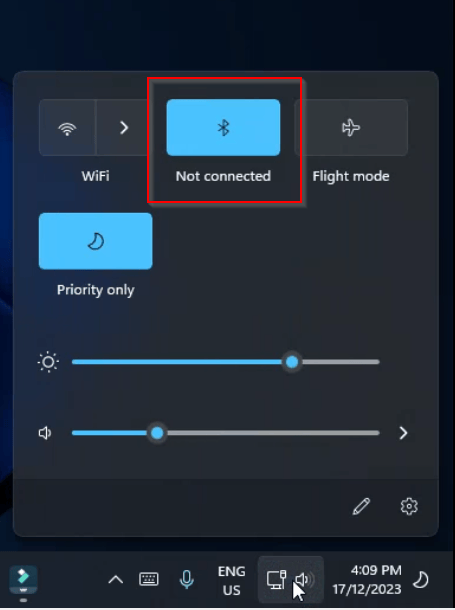
The Simple Entrepreneur CAN YOU CONNECT THE APPLE MAGIC MOUSE 2 WITH WINDOWS 11 bluetooth
  • Go to Windows Settings and Bluetooth devices
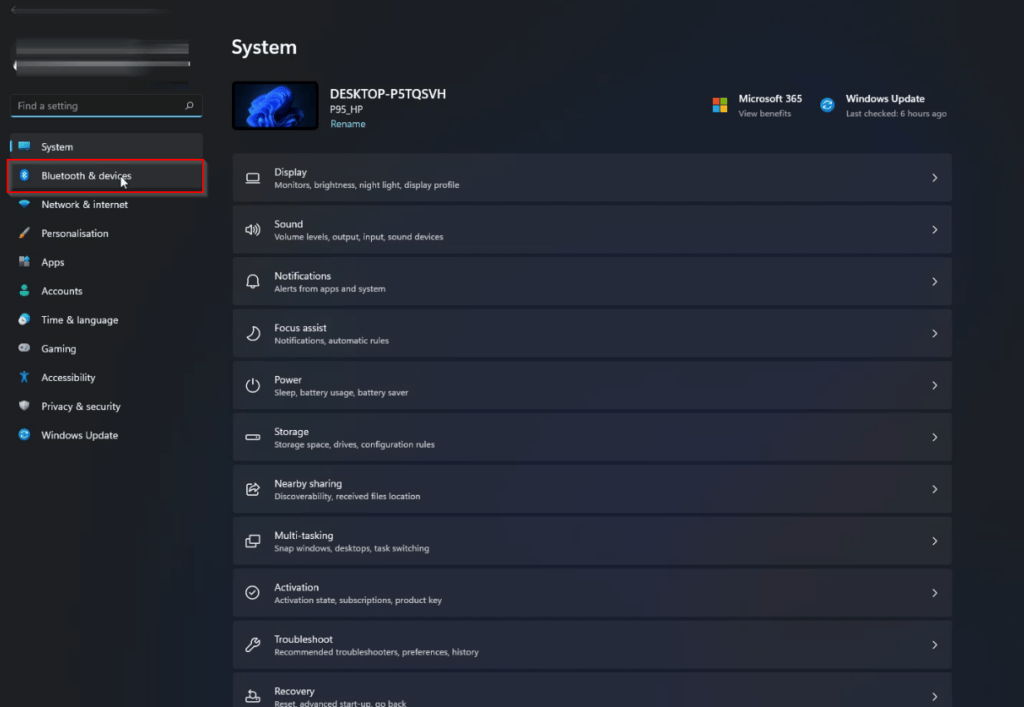
The Simple Entrepreneur CAN YOU CONNECT THE APPLE MAGIC MOUSE 2 WITH WINDOWS 11 bluetooth devices
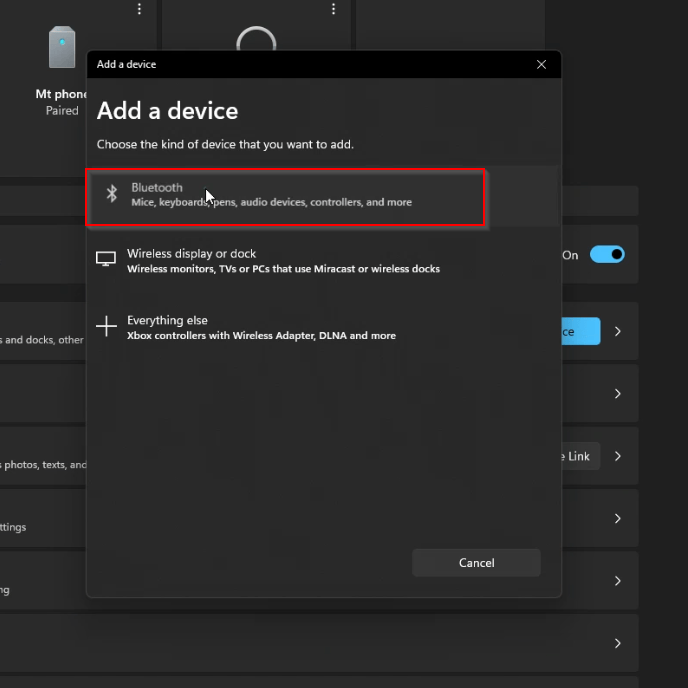
  • Click on Add Device and select Bluetooth
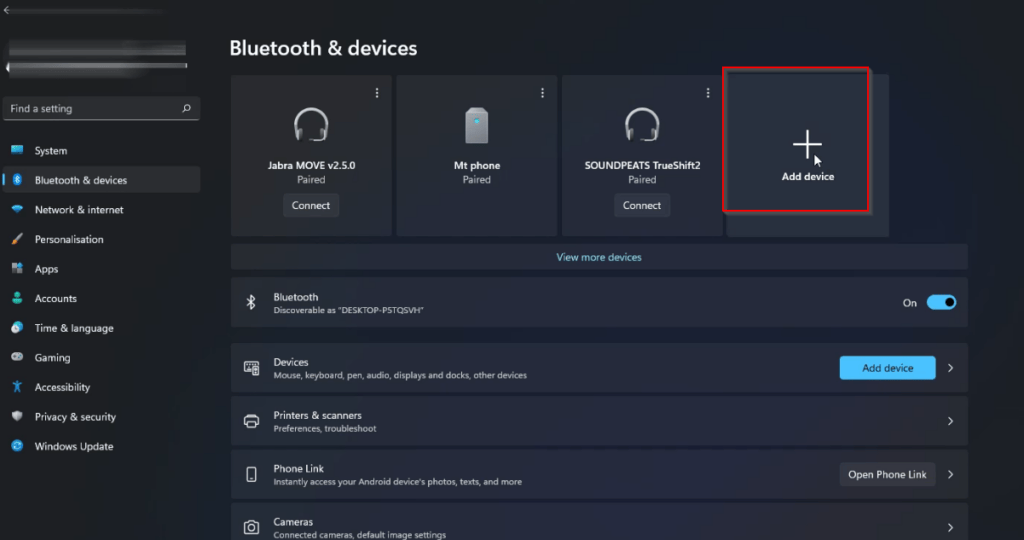
The Simple Entrepreneur CAN YOU CONNECT THE APPLE MAGIC MOUSE 2 WITH WINDOWS 11 bluetooth add device
The Simple Entrepreneur CAN YOU CONNECT THE APPLE MAGIC MOUSE 2 WITH WINDOWS 11 bluetooth add a device
  • Make sure Magic Mouse 2 is turned on. You will see the green coloured switch
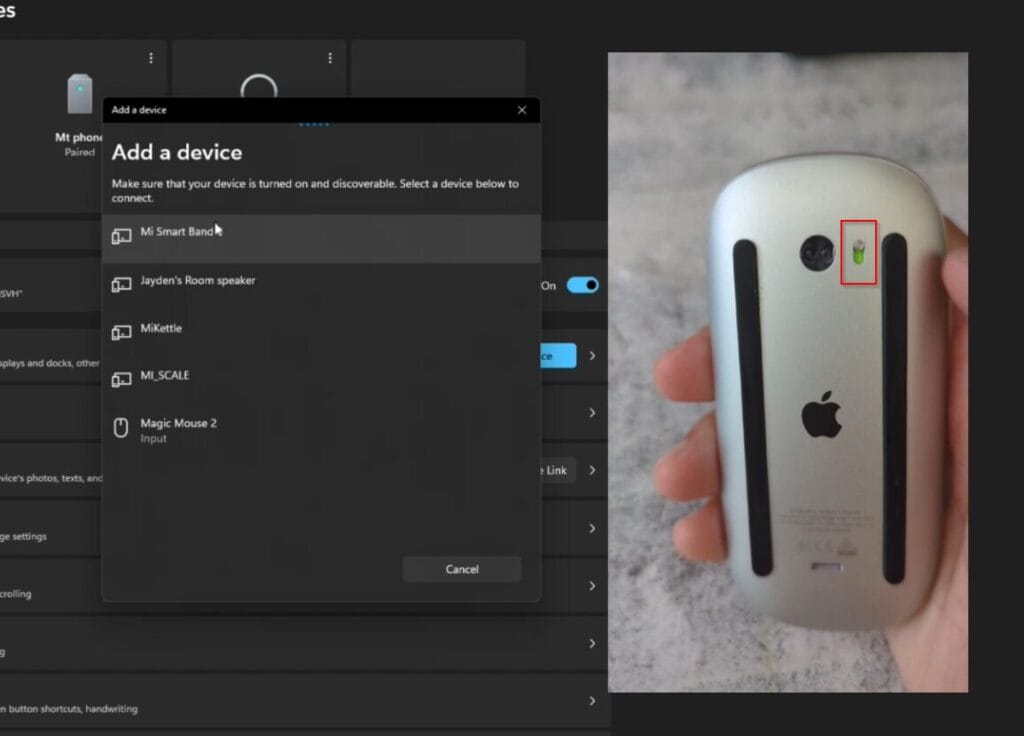
The Simple Entrepreneur CAN YOU CONNECT THE APPLE MAGIC MOUSE 2 WITH WINDOWS 11 device on green
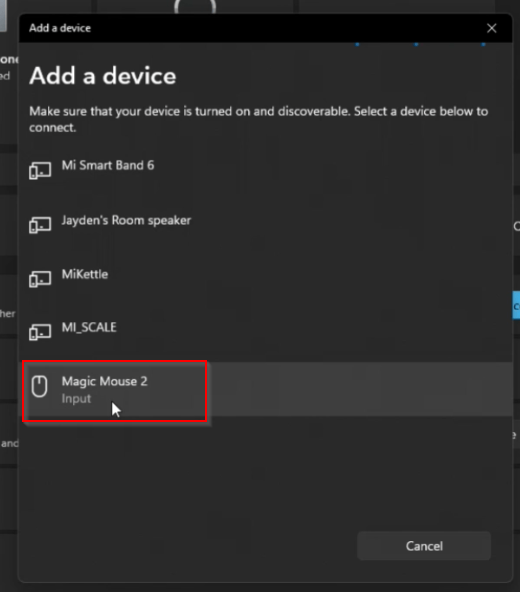
  • Click on Magic Mouse 2
The Simple Entrepreneur CAN YOU CONNECT THE APPLE MAGIC MOUSE 2 WITH WINDOWS 11 add device magic mouse 2
  • The device will show that it’s connecting
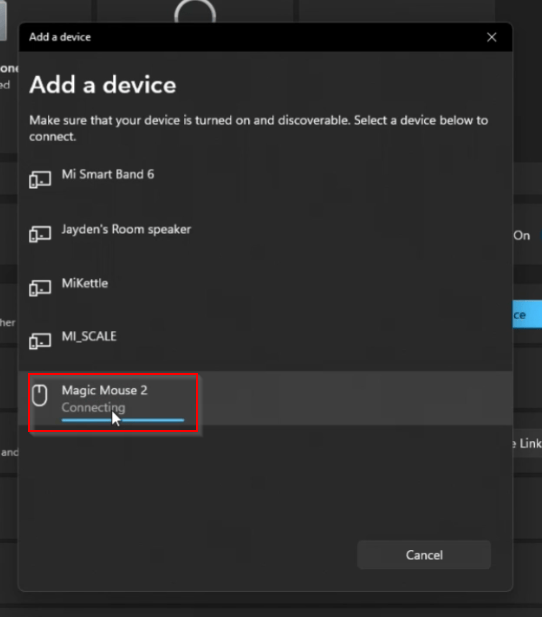
The Simple Entrepreneur CAN YOU CONNECT THE APPLE MAGIC MOUSE 2 WITH WINDOWS 11 add device magic mouse 2 connecting
  • Test the buttons and also test moving the mouse
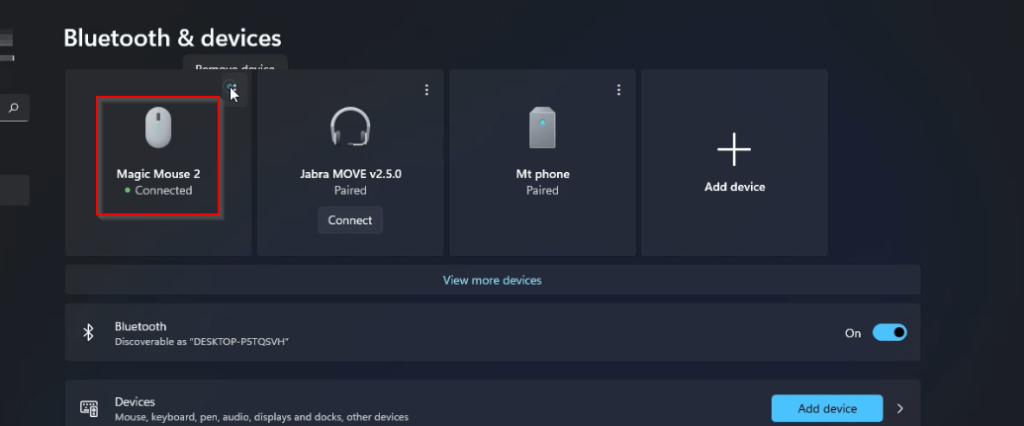
The Simple Entrepreneur CAN YOU CONNECT THE APPLE MAGIC MOUSE 2 WITH WINDOWS 11 add device magic mouse 2 connected

A few things to note about this Apple Magic Mouse 2:

To charge the mouse you will need to connect a lightning cable at the bottom of the mouse. This means that whilst it’s charging you will not be able to use it.
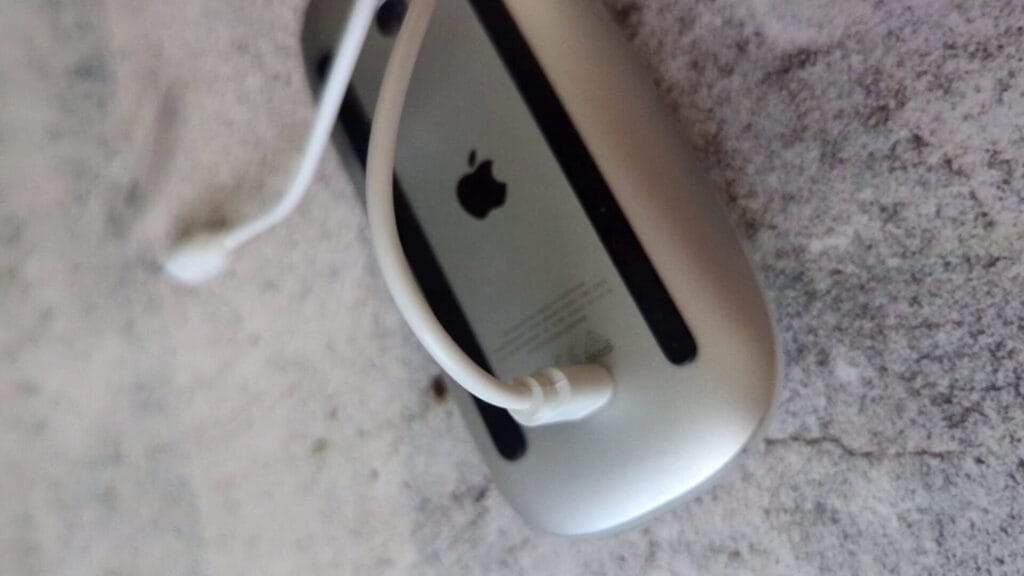
The Simple Entrepreneur CAN YOU CONNECT THE APPLE MAGIC MOUSE 2 WITH WINDOWS 11 charging cable

I didn’t find it comfortable holding the mouse as the height didn’t fit the contour of my hand.
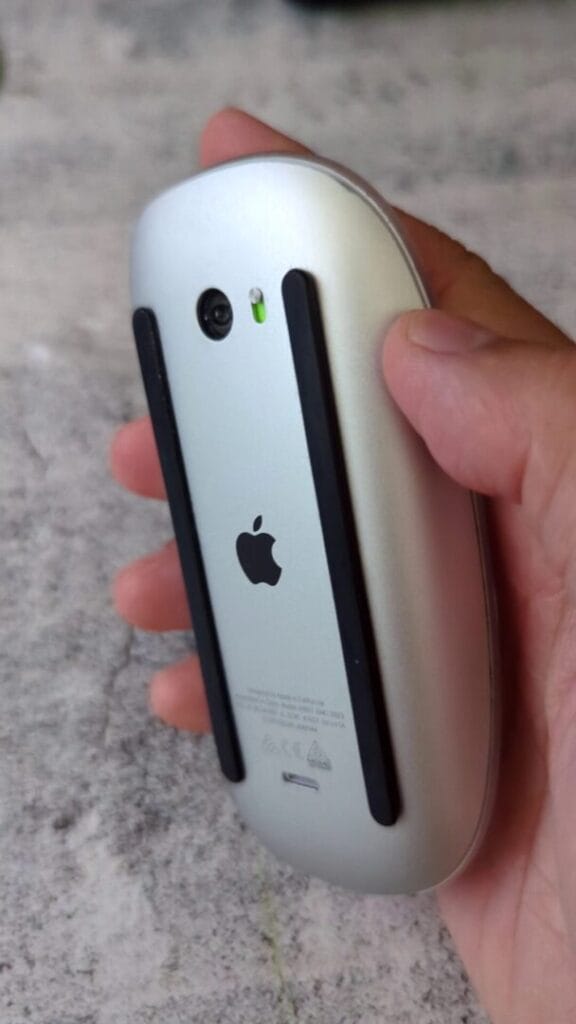
The Simple Entrepreneur CAN YOU CONNECT THE APPLE MAGIC MOUSE 2 WITH WINDOWS 11 shape holding mouse

Here’s a video on how to connect the Apple Magic Mouse 2 to a Windows 11 device:

Follow the journey

Get the next build note in your inbox.

Short updates from Marco on entrepreneurship, products, tools, family milestones, and the daily running streak.

This field is required.

Check your inbox or spam folder to confirm your subscription.