

I recently noticed I had a number of comments on YouTube that I wasn’t even aware of. Some dated back 6 months ago and I apologise to my readers and subscribers for not responding. I have caught up so far and also decided to check why I didn’t receive any comment notifications either by email or via the YouTube mobile app.
Upon further inspection, it appears these notifications were turned off. I may have accidentally turned them off without even realising. After some digging around I managed to figure out how to turn them back on and wanted to write the instructions here in case I have to do them again:
USING BROWSER
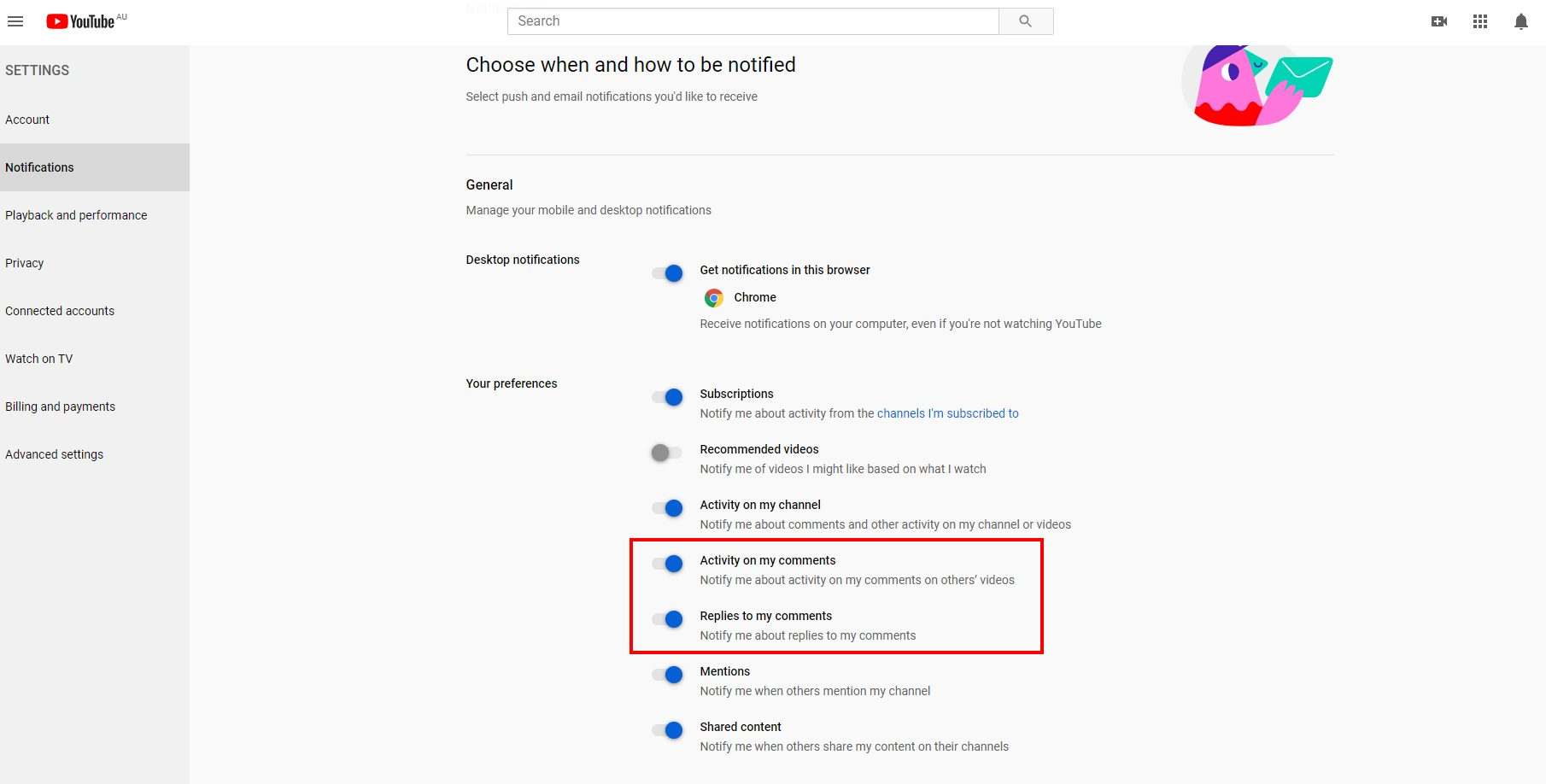
Open any browser and type this URL (it was too hard to navigate to the notifications section – trust me it’s much faster just clicking on the link): https://www.youtube.com/account_notifications
If you still want to navigate to the notifications, go to your YouTube channel and click settings.
Then make sure the toggle button is on the right-hand side for Activity on my comments and Replies to my comments
YOUTUBE MOBILE APP
Login to the YouTube Mobile App
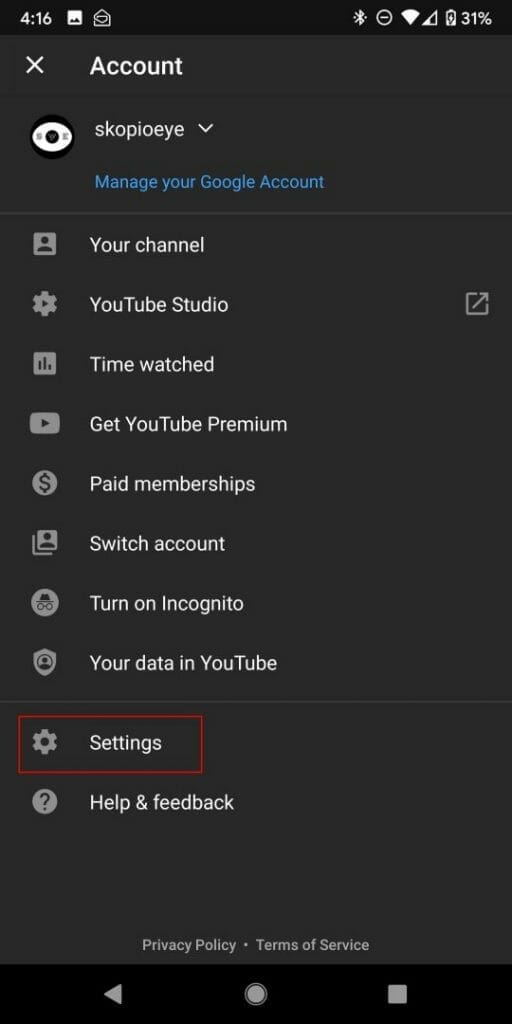
Select your logo on the top right hand corner

Press Settings
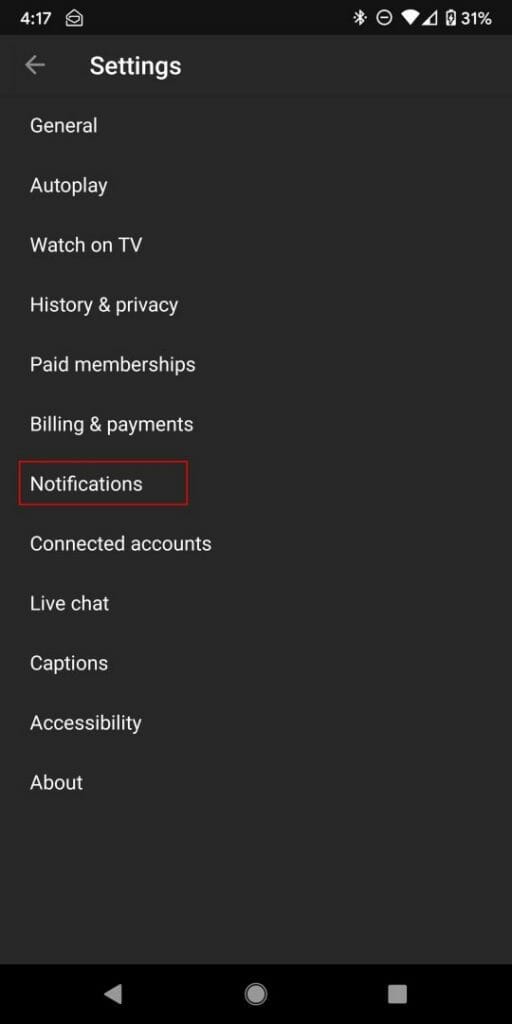
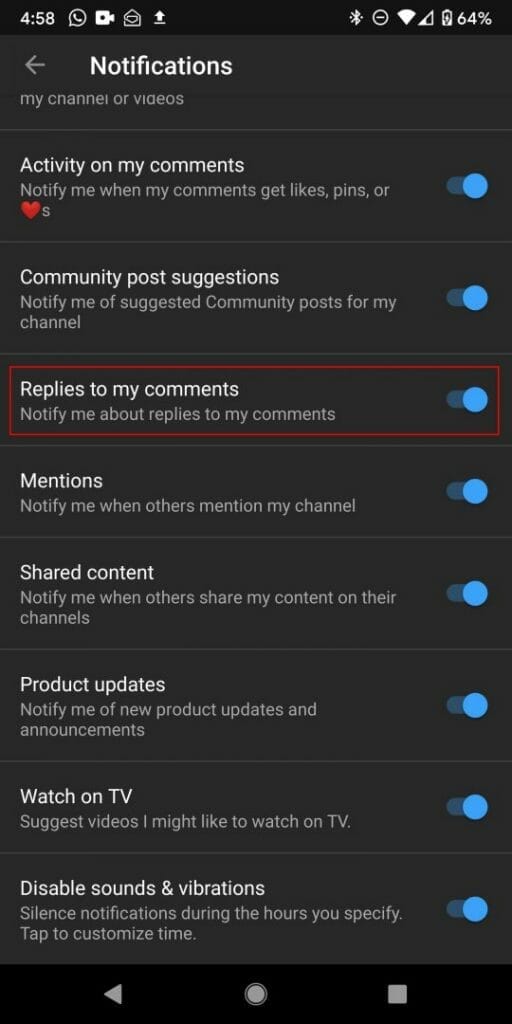
Press Notifications
Enable Activity on my comments
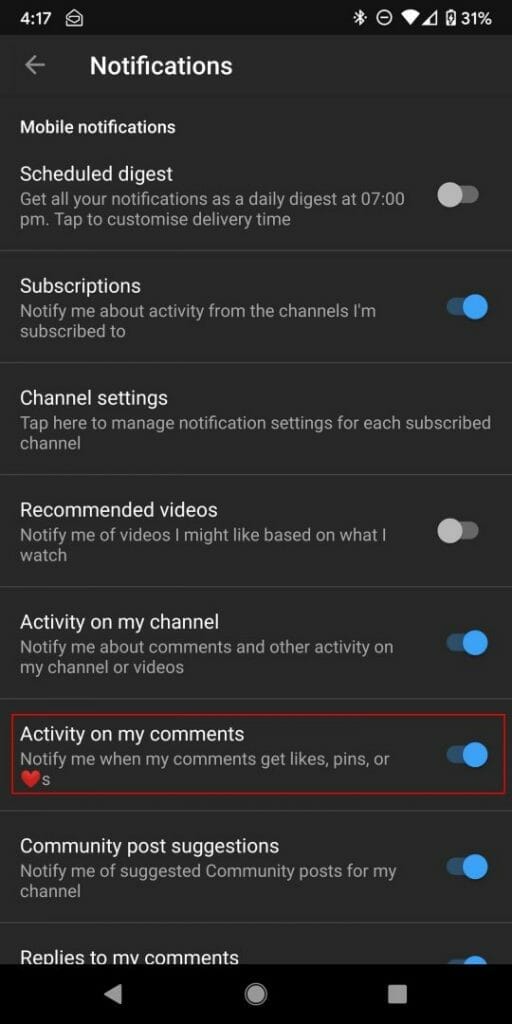
Enable Replies to my comments
I hope this helped some of you who didn’t realise you had a number of YouTube comments waiting for a response. Here’s a video with the steps on HOW TO TURN ON COMMENT NOTIFICATIONS IN YOUTUBE




