

I recently purchased a Pixel 7 Pro from a friend and it was an upgrade from my Pixel 2 XL. The Pixel 2 XL is still in good working condition and some people made comments on the condition of the phone. I’ve never had an issue with it besides the battery just lasting for a day or less. The biggest change from the upgrade was the use of the fingerprint sensor. With the Pixel 2 XL, the fingerprint sensor is at the bottom of the phone whilst the newer versions of the pixel are located on the front. This means that if you’re holding the phone you will need to use the Thumb or index finger to unlock.
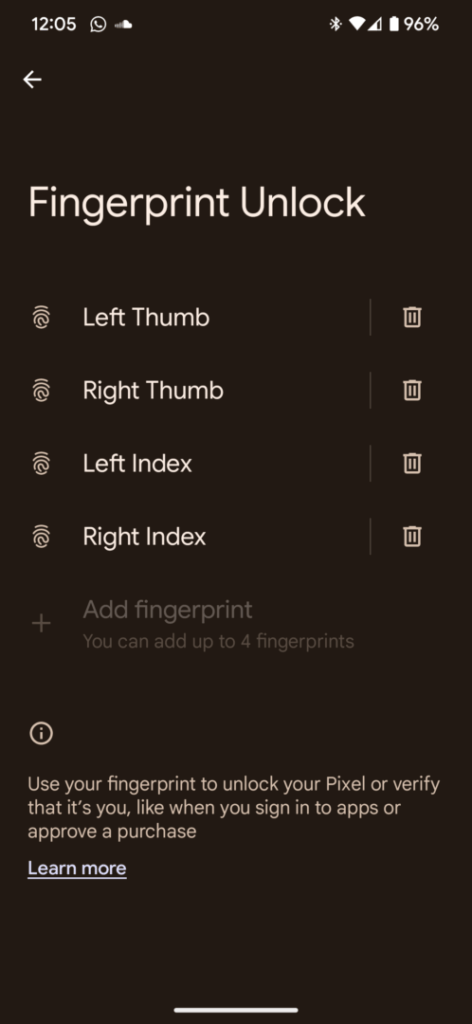
There is a limitation of a maximum of 4 fingerprints to unlock the phone. In this post, I will show you how to do this. When you initially set up your phone, you can add these fingerprints but most likely you would have only added 1 set of fingerprints.
- Go to Settings
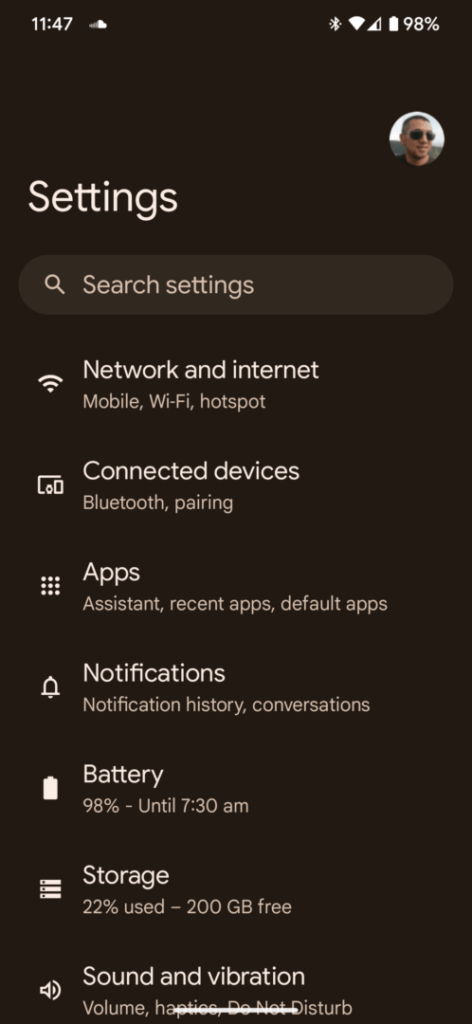
- Tap on Security and privacy
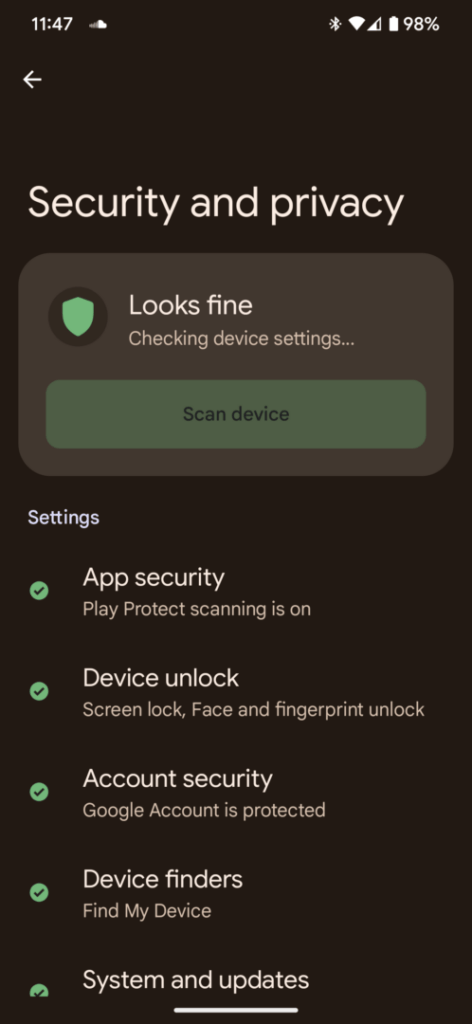
- Tap Device unlock
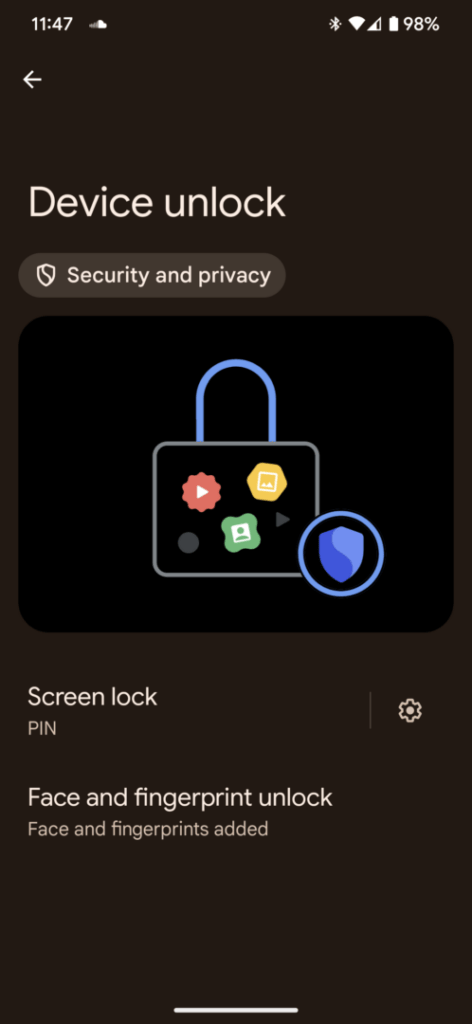
- Tap Face and fingerprint unlock
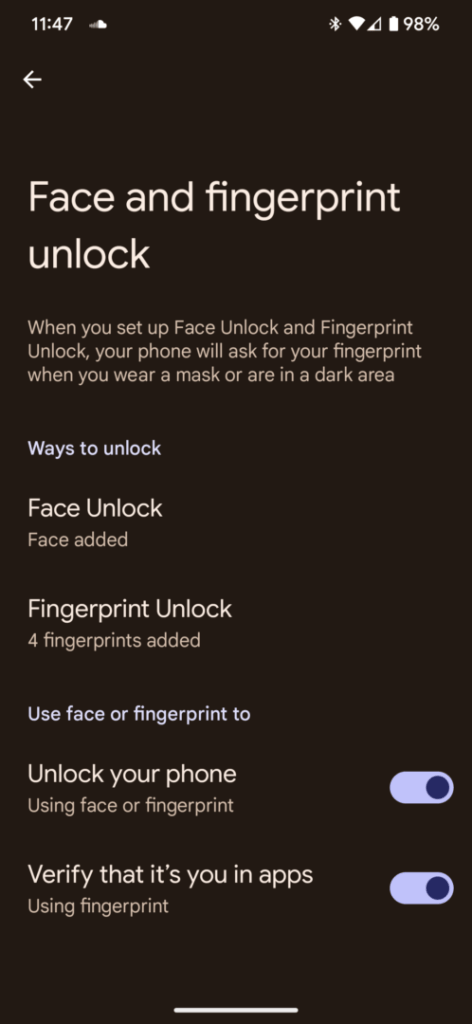
- Enter Pin
- Tap Fingerprint Unlock
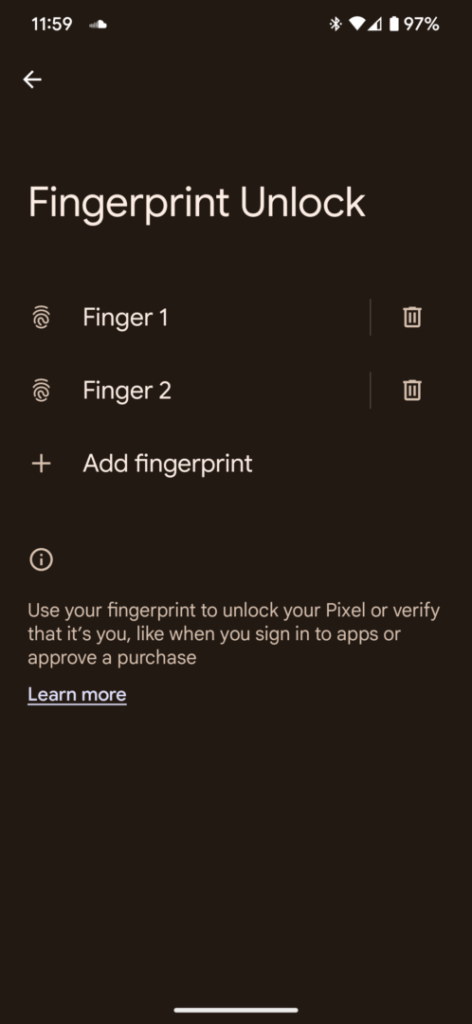
- Touch and Hold the fingerprint sensor


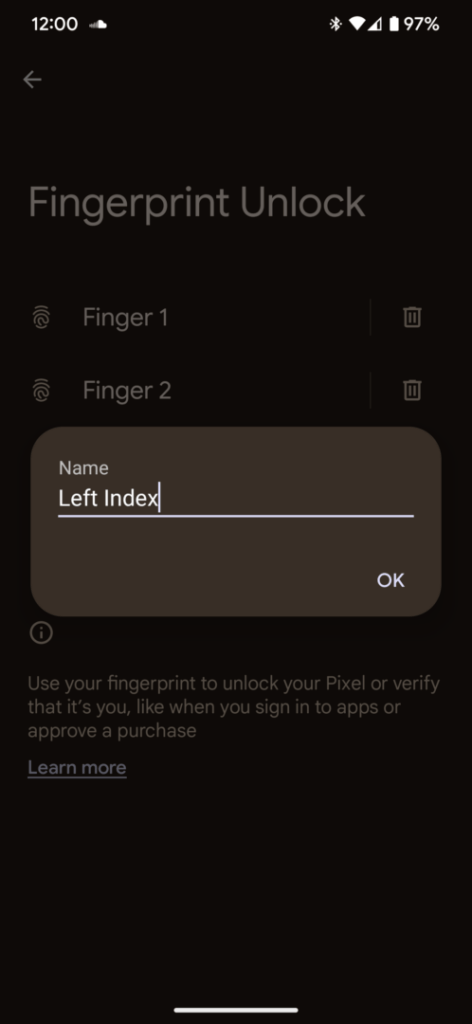
- You can also change the names of each fingerprint so that if you can remove the correct one
Here’s a complete video showing you how to add the fingerprints:
I hope this article helped and if it did please leave me a comment.




