

I’ve been getting this annoying blue Windows 10 Welcome screen “Let’s finish setting up your device” on a few of the digital signage players we manage and I worked out how to remove this.
This is the blue Windows 10 Welcome screen I’m talking about:
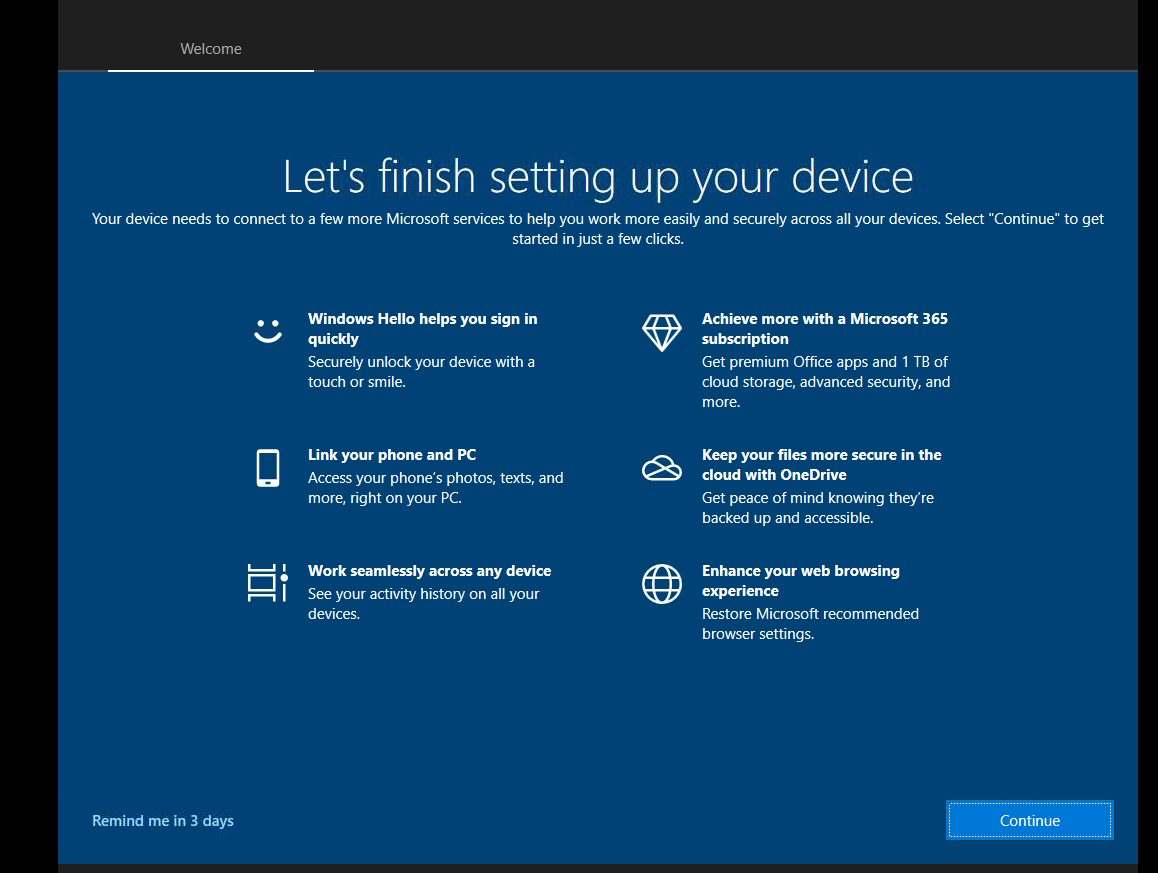
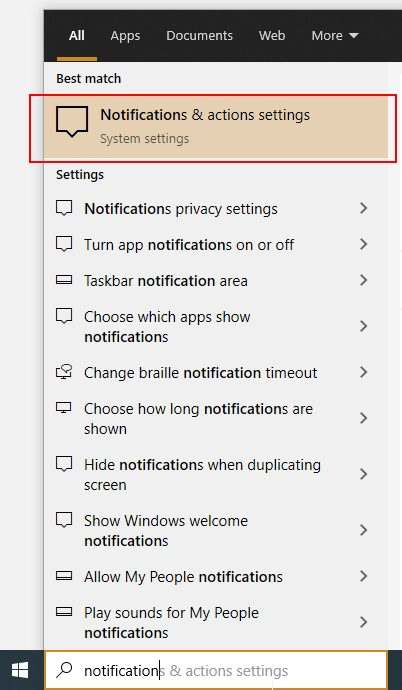
After closing this window by pressing continue or reminder me in 3 days, you can go to the notification and action settings by typing “Notification” in the Windows search task bar.
Deselect the option Suggest ways I can finish setting up my device to get the most out of Windows.
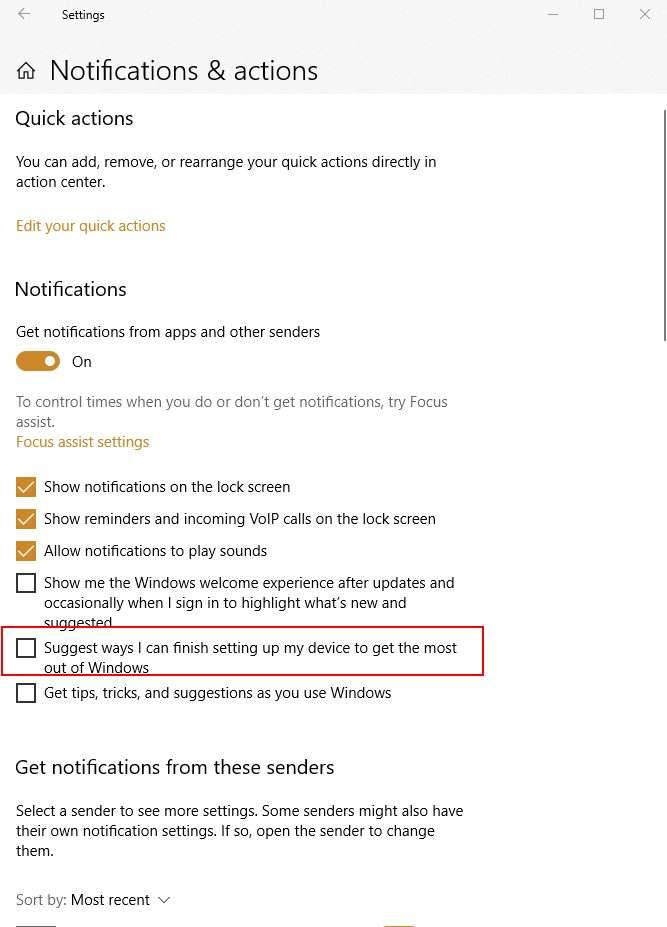
That’s it. If you also don’t want to receive the other Welcome screen deselect:
- Show me the Windows welcome experience after updates and occasionally when I sign in to highlight what’s new and suggested
- Get tips, tricks, and suggestions as you use Windows
Here’s a video on HOW TO FIX LETS FINISH SETTING UP YOUR DEVICE WINDOWS 10 WELCOME SCREEN:
Some of you may not have the option available to deselect Suggest ways I can finish setting up my device to get the most out of Windows and that’s probably because you don’t have the latest Windows 10 major update version 20H2. You need to install this update first before you can get the option.
Here’s a video on HOW TO GET THE OPTION SUGGEST WAYS I CAN FINISH SETTING UP MY DEVICE TO GET THE MOST OUT OF WINDOWS:
Hope this helped some of you. If it did don’t forget to donate, like and share this article.




