

As I was trying to fix an issue with the Microsoft Type cover not working, I discovered the Microsoft Laptop Surface Pro 4 battery was stuck at 49% and it would just remain there even if it was left charging overnight. I found this issue to be very peculiar so I decided to dig further and found that I turned on a setting in the EUFI (BIOS) to cause this issue.
I managed to replicate the issue as well so I knew this was the cause and thought I’d share it with you all in case you also run into a similar problem.
Here are the steps to fix the problem:
- Shut down your laptop. You can do this via Windows
- Once the laptop is completely shut down. Press the power button and the Volume up at the same time. This will get you into the EUFI BIOS where you can change different settings like the Boost Sequence, enabling Bluetooth, Type Cover etc.
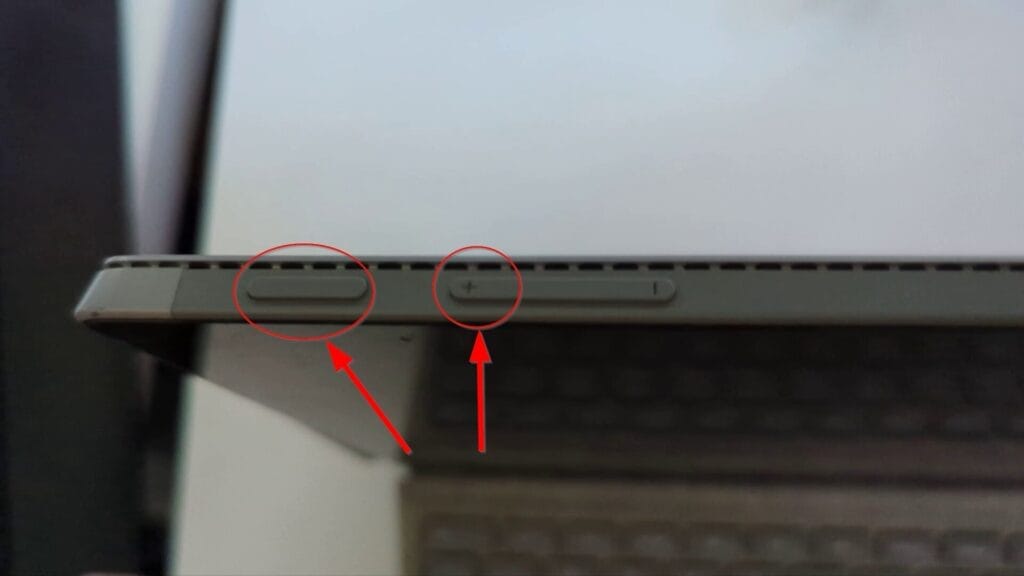
- You need to select Boot Configuration and make sure the Enable Battery limit setting is OFF. If it’s on it means that the Laptop will stop charging at 49 or 50%.
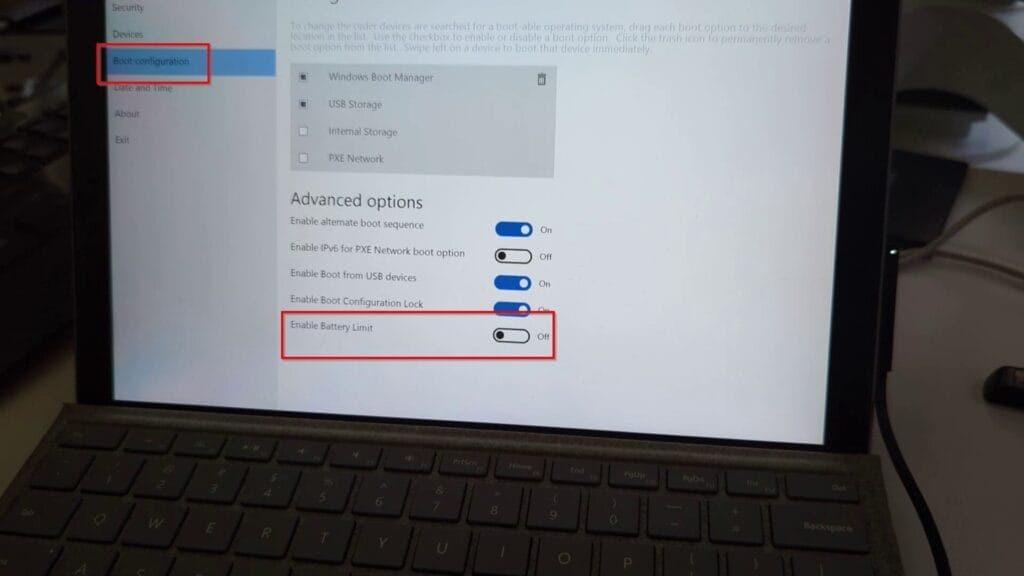
- Reboot the laptop by selecting the shut down button
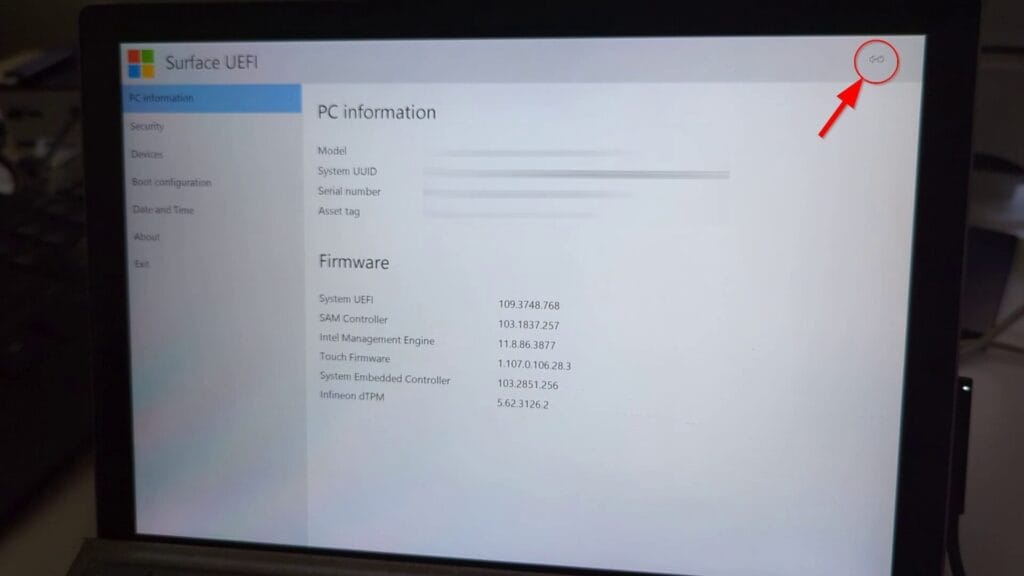
According to Microsoft, the purpose of this feature is to increase the life of the battery and it changes on how the device battery is charged. The use case for this feature is when the surface laptop is always connected to power such as using it for POS (Point of Sale), RFID, Kiosk or Digital Signage. Here’s a video of the issue and instructions on how to fix it.
Hope this helps and if you need any help let me know.




