

I’ve previously shared tips on how to fix a few issues with OBS (Open Broadcaster Software) – How to Fix OBS Black Screen Display Capture Issue and in this post, I’m also going to share with you how I managed to interact with a web browser in OBS. I have used OBS with Zoom but you can use it with any video conference tool to display different types of content whilst you are on a video call.
I use the web browser at the end of the Zoom workout to display a spinning wheel that picks a random exercise. We use this exercise as a bonus at the end of the workout.
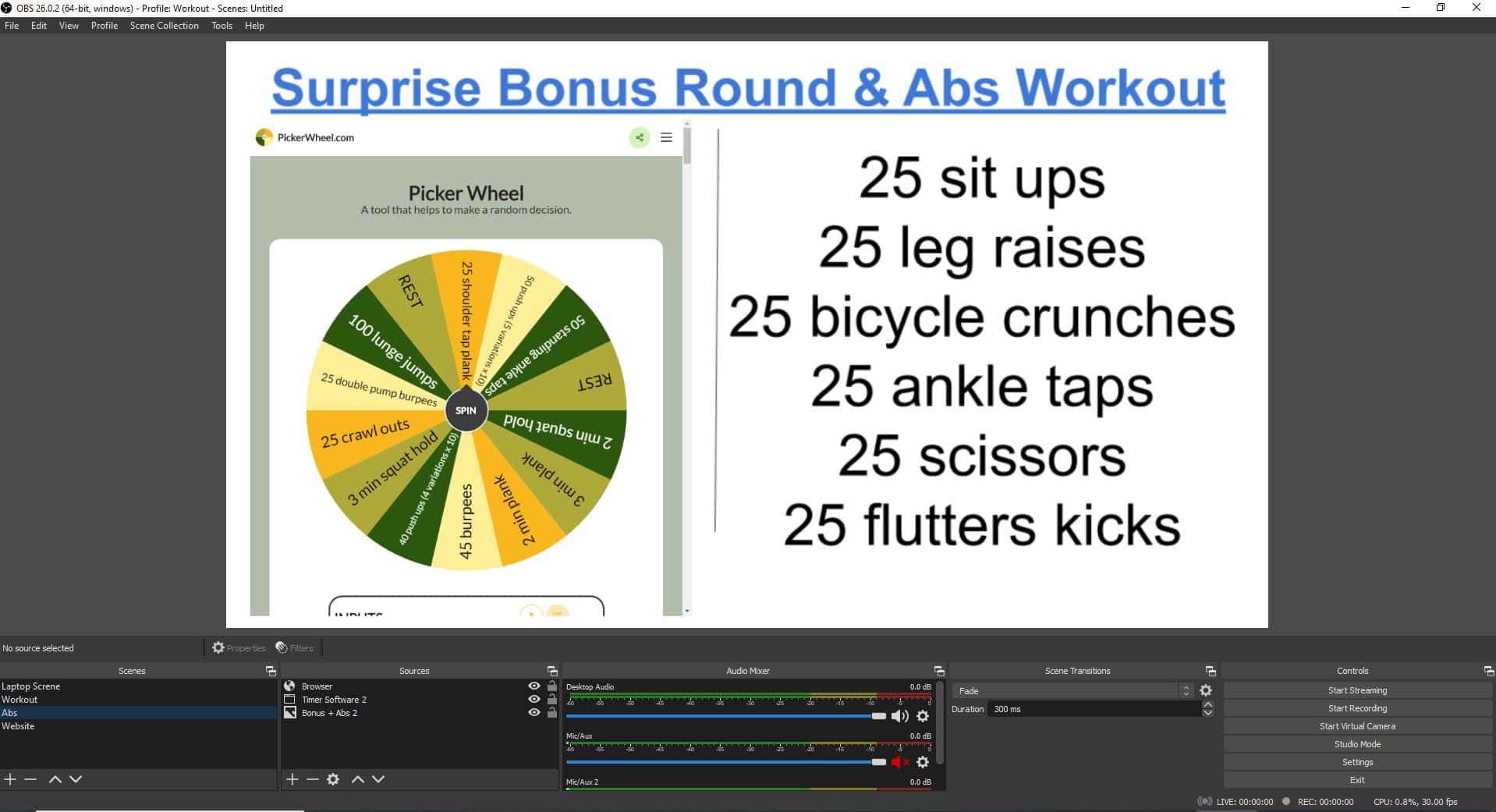
If you want to add a web browser component to the scene and interact with the browser you can follow these steps:
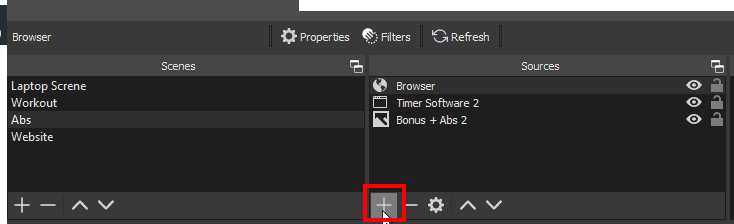
- Click on the + sign in the Sources Area
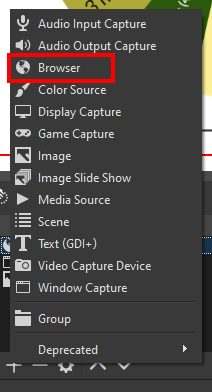
- Select Browser on the list
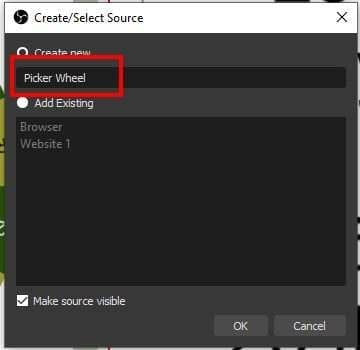
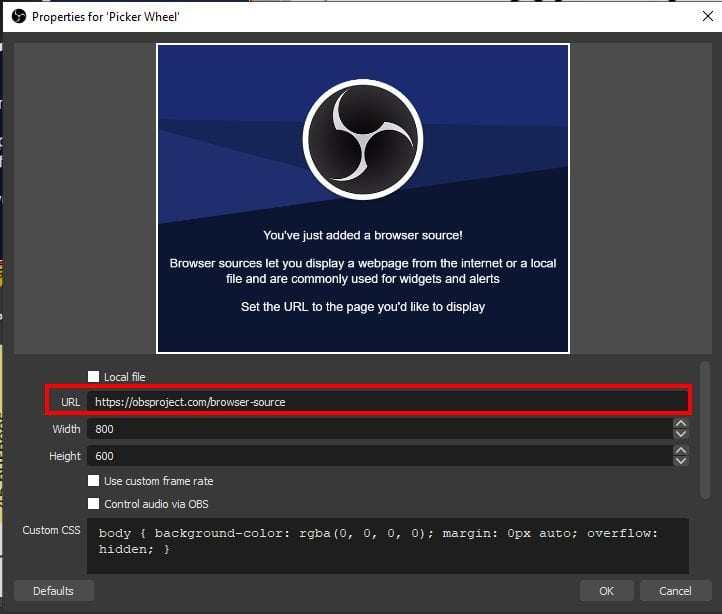
- Enter a name e.g Picker Wheel or Browser
- Enter the URL you want to display. For our Picker Wheel, we used the website https://pickerwheel.com/
- You can also add the Width and Height to display the area of the website
- You can then interact with that web page by right-clicking on the website source and selecting INTERACT
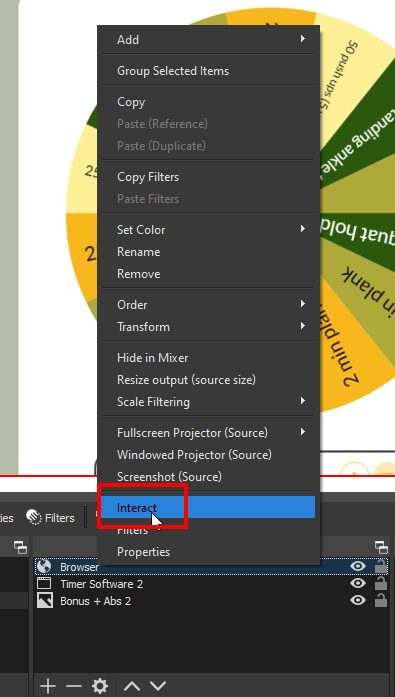
- A popup with the website content will be displayed and you can interact with this – make the wheel spin!
- You can display different types of web pages and you can also play the audio coming from the website to the video conference tool (this requires installing Audio Drivers called VB Audio Virtual Cable. I’ll post another article in the future explains this further.
I hope this helps someone out there and here’s a video to help you further if you need it.




