If you have recently topped up your tyres, rotated them, or noticed a tyre pressure warning still showing on the dashboard even after correcting the pressure, resetting the tyre pressure monitoring system on a Renault Koleos is usually a very straightforward job. The good thing is that you do not need any special tools for this process on the vehicle shown here, because the reset can be done through the car settings menu. In this guide, I will walk through the exact steps, explain when you should reset the system, and share a few practical things worth checking first so you do not end up resetting the warning without actually solving the cause.
On my Renault Koleos, the process is done through the infotainment or vehicle settings screen, and if you drive a similar Renault or another car with an inbuilt TPMS menu, there is a good chance the steps will look very similar. The wording may vary slightly depending on the model year and software version, but the general idea stays the same. If your warning light has appeared after a temperature change, after inflating the tyres, or after routine maintenance, this is one of those simple fixes that is useful to know because it can save time and avoid an unnecessary trip to the workshop.
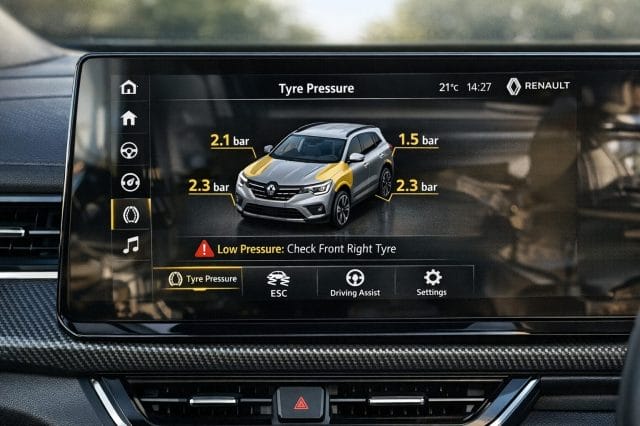
Why the tyre pressure system matters
The tyre pressure monitoring system, also known as TPMS, is there to help alert you when one or more tyres may be underinflated or not reading as expected. That matters more than many people realise, because incorrect tyre pressure can affect fuel economy, tyre wear, braking performance, ride comfort, and overall safety. A tyre that is too low can wear unevenly and run hotter than it should, while an overinflated tyre can reduce grip and make the car feel harsher over rough roads.
In day to day driving, especially if the car has been sitting overnight or the weather changes suddenly, tyre pressures can fluctuate enough to trigger a warning. Sometimes the alert is completely valid and you genuinely need to inflate one or more tyres. Other times, you may have already corrected the pressure and the system simply needs to be reset so it can store the updated values. That is why it is always best to treat the warning as a prompt to check the tyres properly first, rather than just dismissing it and carrying on.
Before you reset anything
Before going into the menu, it is worth taking one minute to confirm all four tyres are inflated to the correct pressure for your Renault Koleos. You can usually find the recommended tyre pressures on a sticker inside the driver door area, in the fuel flap area, or in the owner manual. Make sure you check them when the tyres are cold if possible, because that gives you the most accurate reading. If you have just driven the car, the tyres may be warmer and the pressure reading may be slightly higher than normal.
You should also give the tyres a quick visual check for obvious issues such as a puncture, a screw in the tread, sidewall damage, or one tyre looking noticeably lower than the others. If there is an actual leak, resetting the system will not fix the root problem. It may clear the warning temporarily or allow the system to recalibrate, but the warning is likely to return once the pressure drops again. In other words, reset the TPMS after correcting the pressure, not instead of correcting it.
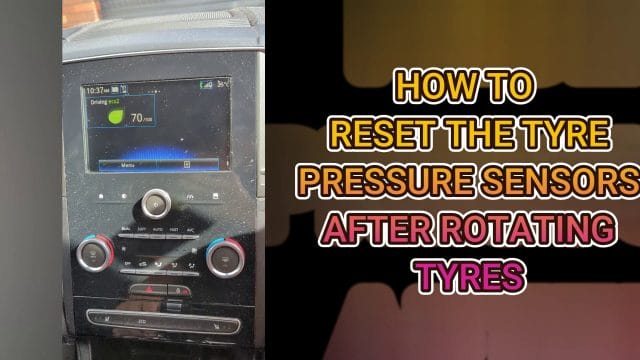
The menu path on the Renault Koleos
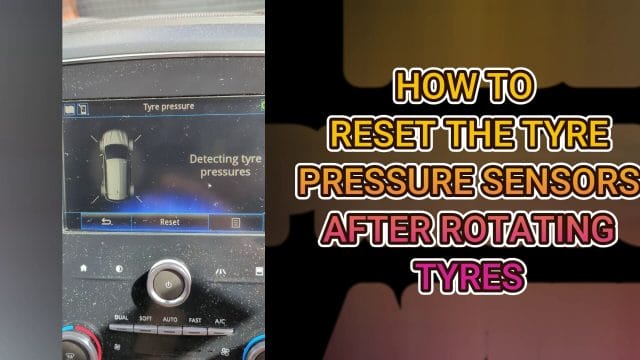
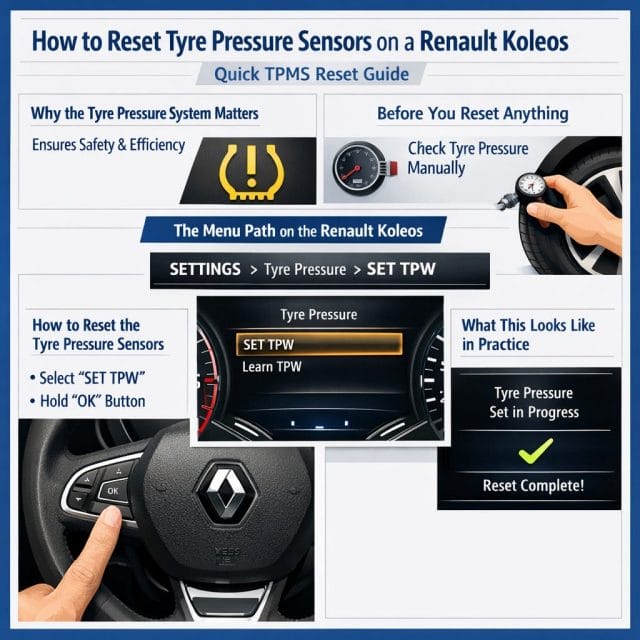
On the Renault Koleos shown here, the reset process starts by going into the car settings menu. From there, select the vehicle section, then go into tyre pressure. This is where the car lets you view the tyre pressure related menu and begin the reset procedure. Renault has made this quite accessible, which is useful because this is one of those maintenance related tasks that owners may need to do more than once over the life of the car, particularly after inflating tyres or servicing.
If you are doing this for the first time, take your time and move through the screens carefully. Depending on your display size and system version, the layout may be slightly different, but the key sections should still be settings, vehicle, and then tyre pressure. If your car uses a rotary dial, touchscreen, or steering wheel controls, just use whatever input method your trim level has to move through the options. The important part is reaching the tyre pressure screen where the reset option appears.
How to reset the tyre pressure sensors
Once you are in the tyre pressure section, the next step is simple. Press the reset option. That tells the system to accept the current tyre pressures as the new reference point, assuming they have already been set correctly. This is the part that most people are looking for, because once the pressures are correct, the reset usually helps clear the warning and lets the system monitor for future changes from that point onward.
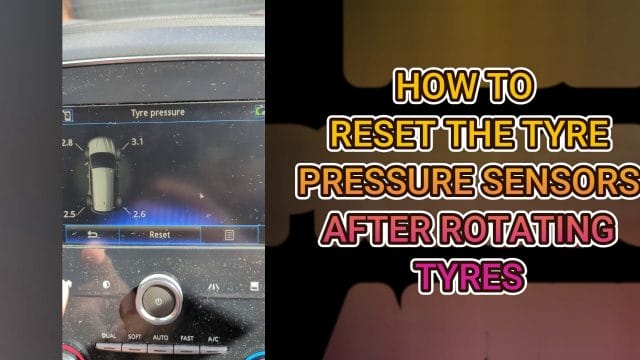
After pressing reset, the vehicle may take a little time to update depending on the system. Some cars confirm the reset immediately on screen, while others may need a short drive before the readings settle and any warning clears fully. If you do not see an instant change, that does not necessarily mean the reset failed. It may simply mean the system is recalibrating or waiting to complete its checks while the vehicle is in motion.
If the warning remains after the reset and after driving for a while, go back and recheck the actual tyre pressures with a gauge. It is possible that one tyre is still slightly off, or that there is a sensor issue rather than a simple calibration problem. In practical terms, the menu reset is easy, but it only works properly when the underlying tyre condition is correct.
What this looks like in practice
The nice thing about this process is that it is not technical or intimidating once you know where the option lives in the menu. The transcript for this walkthrough keeps it very simple because that is really all there is to it on this Renault Koleos. You go to settings, go to vehicle, go to tyre pressure, and then press reset. That is the entire path, and for many owners that will be enough to solve the issue after a pressure top up.
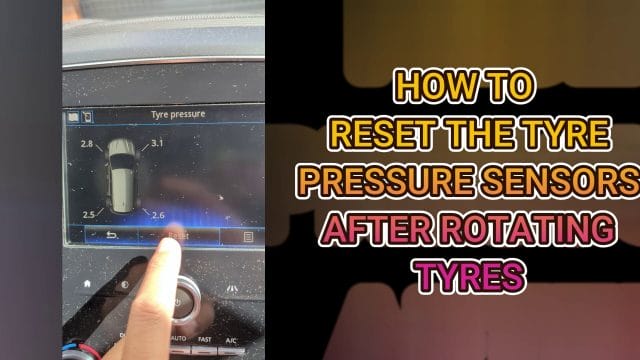
It is also worth noting that many modern cars follow a similar logic. Even though the menu design and terminology may differ, manufacturers often group TPMS settings under the broader vehicle settings menu. So if you are familiar with this process on the Koleos, you will probably find it easier to work out on other vehicles too, especially within the same brand family.
Will this work on other cars
This worked on my Renault Koleos, and it should be something very similar on other cars that have tyre pressure sensors, also known as TPMS. That said, there are some differences between systems. Some vehicles use direct TPMS sensors inside each wheel, while others use indirect systems that estimate tyre pressure changes based on wheel speed sensors. The reset procedure can vary depending on which type your car uses, and some models may require holding a button, confirming a prompt, or driving a certain distance before the reset completes.
For Renault drivers in particular, the interface may be broadly familiar across different models, but it is still a good idea to check the owner manual if the option is not exactly where you expect it. If your vehicle does not show a reset option in the menu, that may mean it uses a different method, or in some cases the warning may be linked to a sensor fault that needs diagnostic attention. If you have access to an OBD tool, that can sometimes help with fault checking, especially if the light stays on for reasons unrelated to tyre inflation.

Common reasons the warning comes back
If the warning returns not long after a reset, there are a few common possibilities. The first is that one tyre is slowly losing air through a puncture or valve issue. The second is that the tyre pressures were set incorrectly to begin with, perhaps because the wrong front and rear values were used. The third is a sensor related problem, such as a weak battery in a wheel sensor or a communication issue within the system. Seasonal temperature drops can also trigger warnings, especially in colder mornings when pressure naturally falls.
That is why it helps to think of the reset as the final step rather than the first step. Inflate the tyres properly, inspect them, then reset the system. If everything is healthy, the car should continue monitoring as normal. If the warning reappears, that is useful information rather than just an annoyance, because it tells you there may be something else worth investigating before it becomes a bigger issue on the road.
A quick and useful maintenance habit
Knowing how to reset the tyre pressure sensors on a Renault Koleos is one of those small practical skills that makes ownership easier, especially if you like handling simple maintenance tasks yourself. The actual process is short and easy to remember, and once you have done it once, it becomes second nature. Go to settings, open vehicle, select tyre pressure, and press reset after making sure the tyres are inflated correctly.
For a car like the Koleos that is often used for commuting, family trips, and general everyday driving, keeping on top of tyre pressure is a worthwhile habit because it helps the vehicle drive better and keeps wear under control over time. If your warning light appears after topping up the tyres, this reset procedure is the first thing I would try, and in many cases it is all that is needed to get the system back to normal.

If this article helped you in any way and you want to show your appreciation, I am more than happy to receive donations through PayPal. This will help me maintain and improve this website so I can help more people out there. Thank you for your help.
HELP OTHERS AND SHARE THIS ARTICLE
LEAVE A COMMENT