

I noticed that disabling IPv6 on the VPS network interfaces makes resolving some websites faster. In my particular case, I have a web app on the VPS that connects to an external website and grabs data via the API. When I tried running the web app it would take about 10-20 seconds for the page to load and after some investigation it appears that disabling IPv6 on the interfaces made the web app load in 2-3 seconds.
The first thing to do is check whether the interfaces on the VPS server is actually using IPv6. Just issue ifconfig -a on the terminal as root or su:
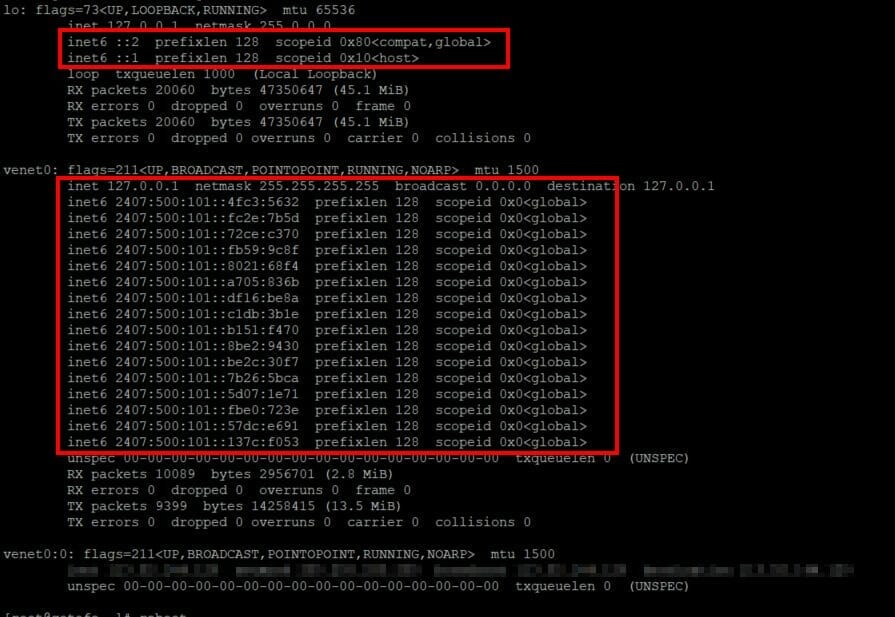
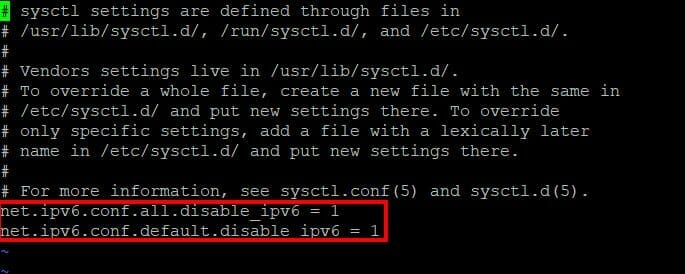
To disable IPv6 on all the network interfaces (disabling on just the main interface didn’t help – I had to disable on all interfaces) on a CentOS system you need to do add the following code in the /etc/sysctl.conf file:
net.ipv6.conf.all.disable_ipv6 = 1
net.ipv6.conf.default.disable_ipv6 = 1
Just like this.
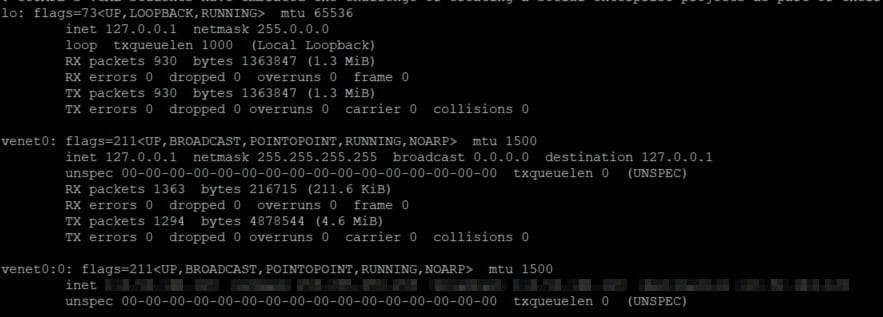
Restart the VPS and then check again the ifconfig -a to see if it’s removed the IPv6 addresses from the interfaces:
Test and see if it the speed is faster. I hope this helps.




