

Cleaning the LG NeoChef microwave is a breeze, however, do you accidentally press the front panel buttons when you clean the front glass panel? Did you know there is a feature to disable and lock the front panel button so you can easily clean the front panel? Read below for instructions on how to use this feature.
I’ve written about the LG NeoChef microwave in two previous posts:
USING THE LG NEOCHEF MICROWAVE SMART DIAGNOSIS
HOW TO CHANGE OR DISABLE THE CLOCK ON THE LG NEOCHEF MICROWAVE
The LG NeoChef microwave model MS4266OBS has a lock feature where you can lock the front panel from being pressed. This feature is primarily used as a Child Safety feature but it can also be used for maintenance purposes such as cleaning the glass panel.
How to turn on the lock feature
- The steps to turn on the LOCK feature are easy. All you have to do is hold onto the RED STOP button until you hear a beep and the LED panel will show Loc
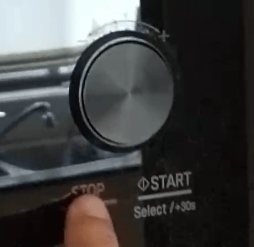
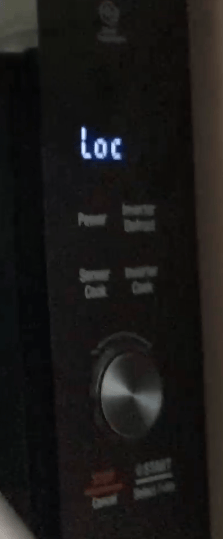
- You can then spray the front glass and use a microfibre cloth to wipe it clean
- To unlock the panel, just press the STOP button until the Loc disappears
Here’s a video of how to clean the front panel of the LG microwave:
So far, I’m pretty happy with the microwave even though we don’t use all the features.




