

Have you ever noticed the Smart Diagnosis logo on the LG Neochef Microwave? If you see this logo you might get the impression the microwave is a “Smart” microwave i.e. you can connect to it via Bluetooth or WiFi. Now, this is not the case! If you see this symbol on the microwave it just means you can get some diagnostic information from the microwave through some beeping noise (think of it as the dial-up modem noises). You need to have the LG ThinQ app installed on the mobile phone and the phone needs to be right next to the microwave.
I honestly don’t know what information you can obtain from this diagnostics but from the app it does seems like you can you this when you are talking to an LG customer service representative you can send this information to them for more assistance.
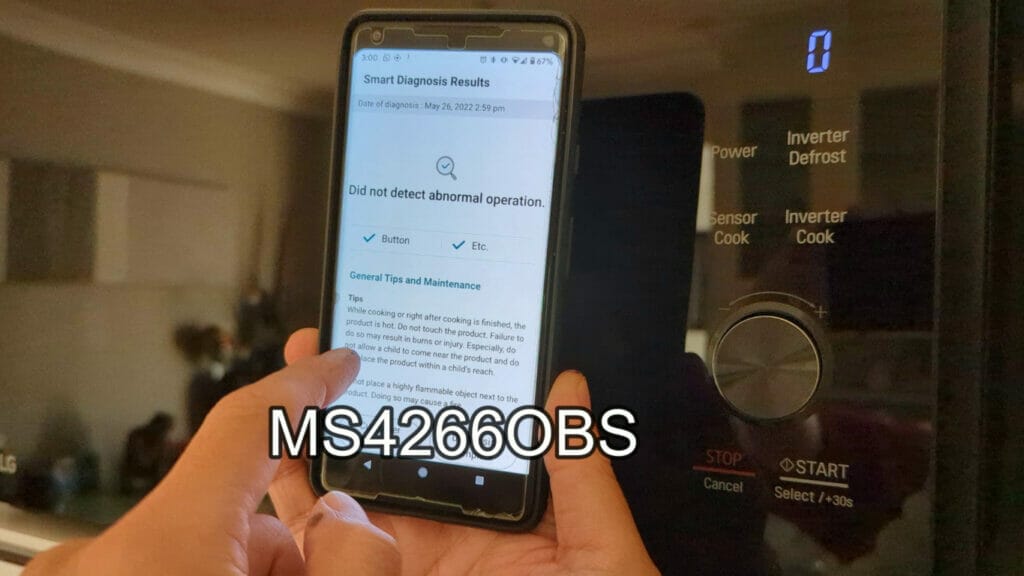
Here’s a video on how to use the LG Microwave NeoChef Smart Diagnosis:
Also if you need help with changing the time on the microwave you may want to read this article HOW TO CHANGE OR DISABLE THE CLOCK ON THE LG NEOCHEF MICROWAVE and watch this video:




