If you no longer want to use your Instagram account, you can follow these steps to back up your Instagram account data and delete it. You do have the simple option of disabling the Instagram account if you believe you will use the account in the future, however, if you have a test account and think you have finished your testing and no longer need it, then you can delete the account.
DISABLE YOUR ACCOUNT
- Log in to your Instagram account
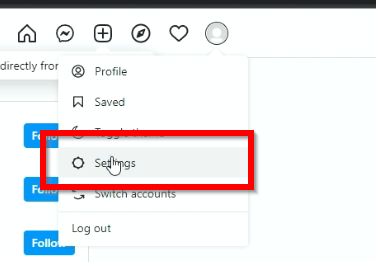
- Click on the Profile icon and then Settings
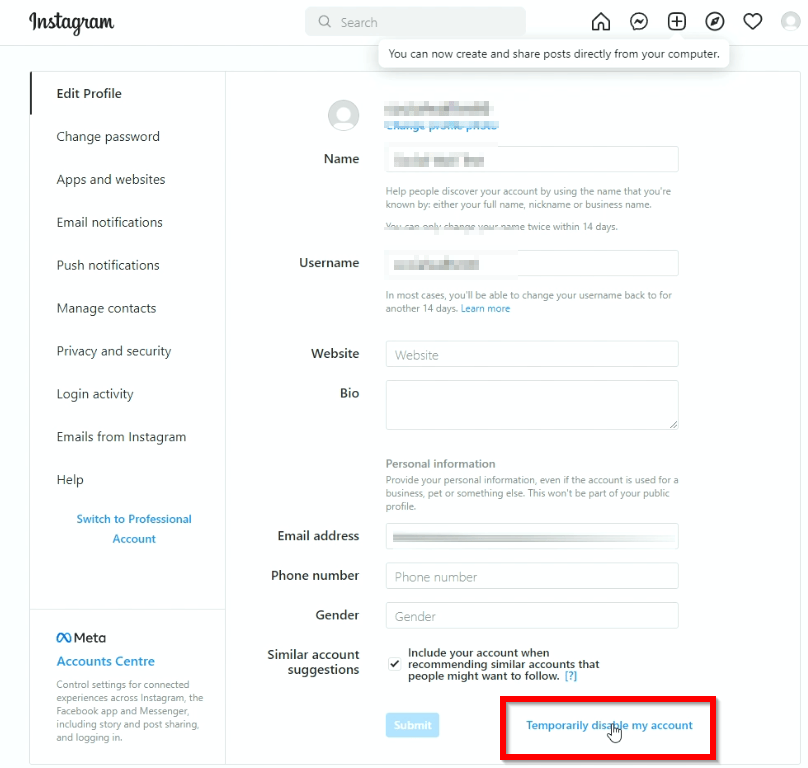
- Click on Temporarily disable my account
- Select a reason why you are disabling your account, enter the password and then click on YES to confirm.

Your account will then be disabled.
BACKUP DATA
- Click on the profile icon and go to settings
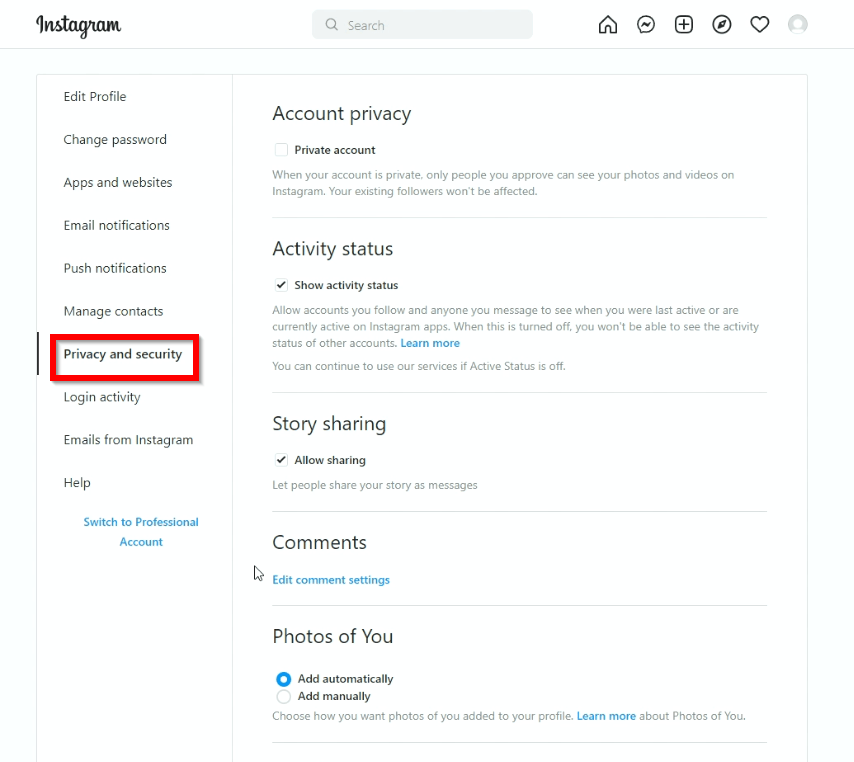
- Click on Privacy and security
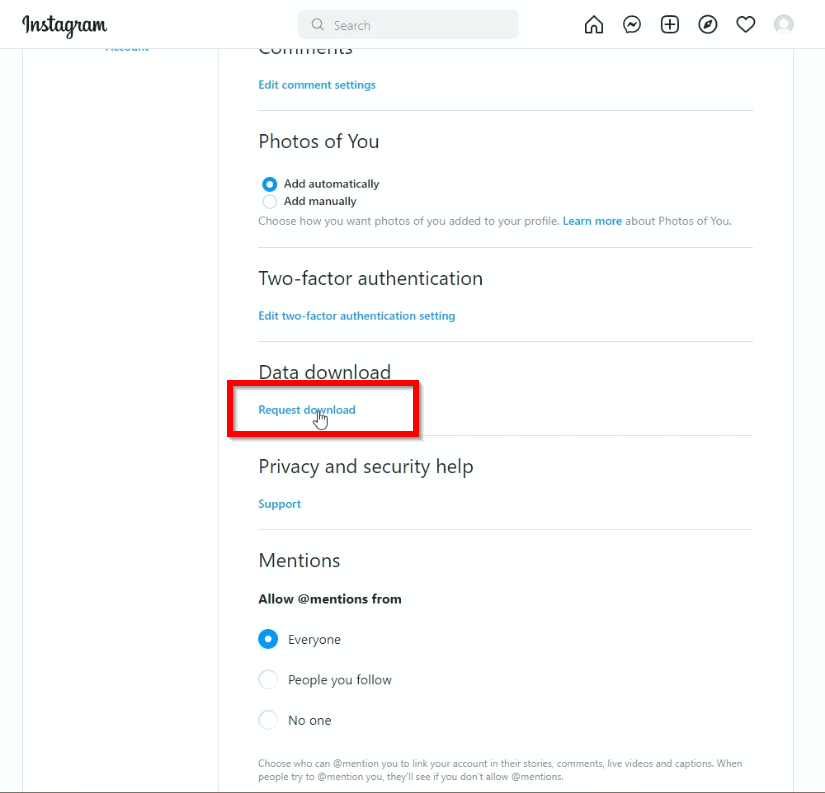
- Scroll down to Data Download and click on Request download
- Enter your email and then select the format

- Enter the Instagram password to download the file

DELETE ACCOUNT
To delete your Instagram account you will need a web browser and go to this URL: https://www.instagram.com/accounts/remove/request/permanent/ and login to your account
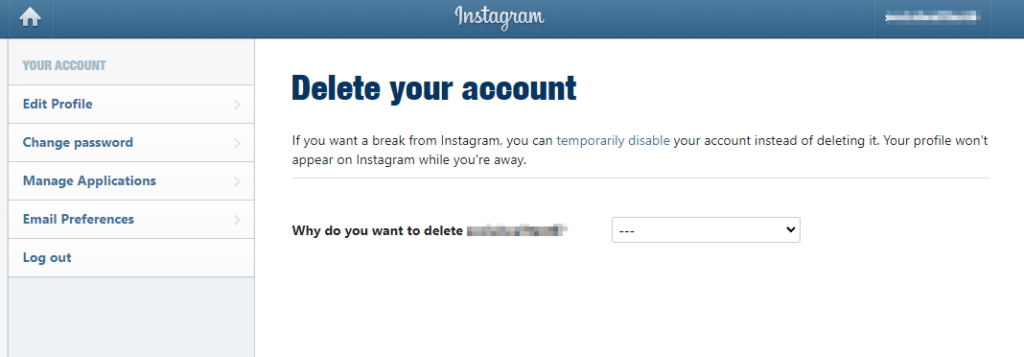
Select the reason and then re-enter your password
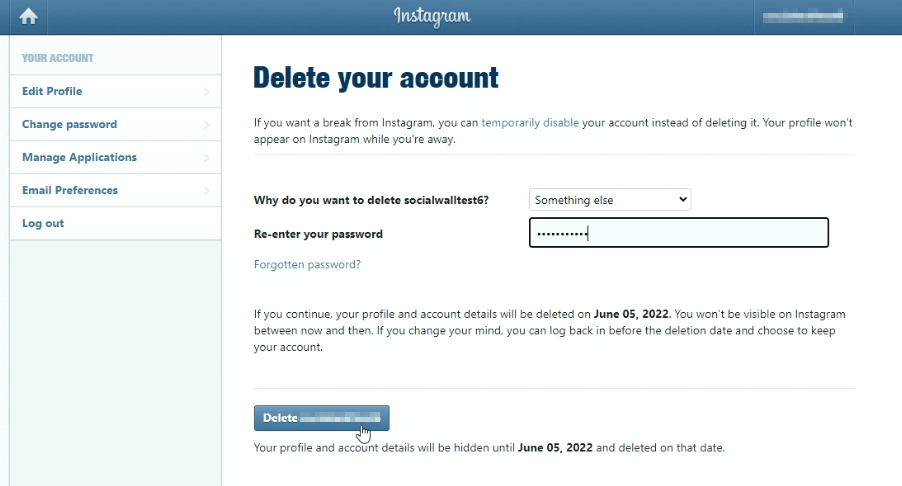
Once you press the delete button the account will be hidden and then deleted on the date specified. According to Instagram, it may take around 60 days to actually remove the account. Keep in mind the Meta company will still be able to retrieve the information from backups for legal reasons etc.
Hope this video on how to delete HOW TO DELETE BACKUP DISABLE YOUR INSTAGRAM ACCOUNT helps: