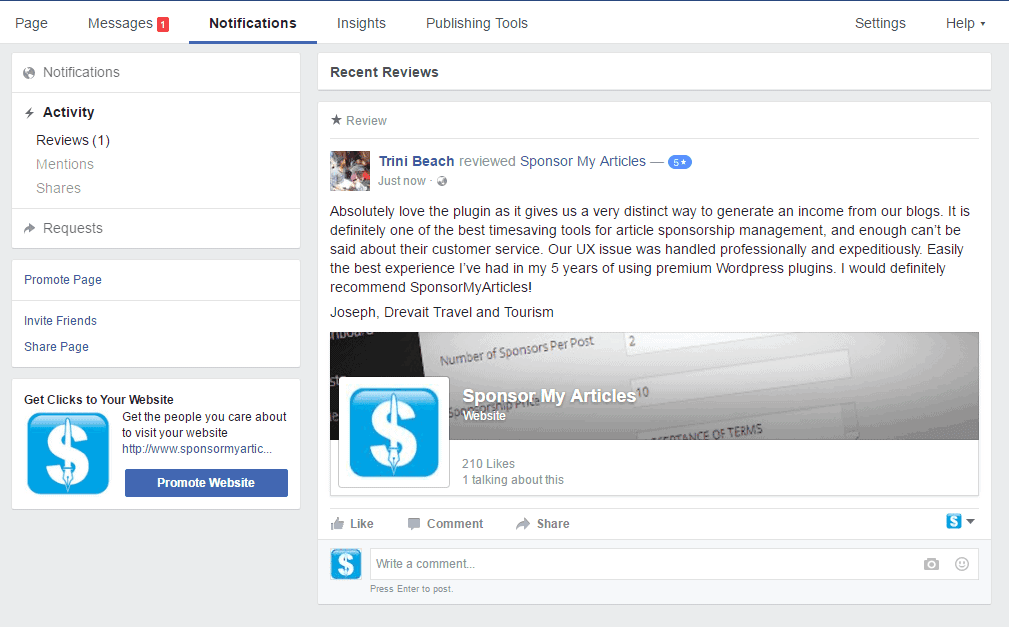
This morning, I woke up to a Facebook message from one of our clients using our Sponsor My Articles WordPress Plugin. It was a testimonial about our product and their experience with our customer service team. I was delighted to receive positive feedback and thought I’d share their feedback and how I quickly set up a Facebook review page for them to use.
Build great products and support your customers
I always believed that building a great product should be the business’s top priority, but as a business never forget to support your customers when they are in need. If you speak to many business owners, they will tell you that the most important asset in your business is your CUSTOMER. So never forget to support your customer!
HOW TO ADD REVIEWS ON A FACEBOOK PAGE
I also had to setup our Facebook business page to allow Reviews and for those want to do this follow the below steps.
- Click on your Facebook Page
- Click on Settings

- Click on General
- Click Edit on the line that has Reviews

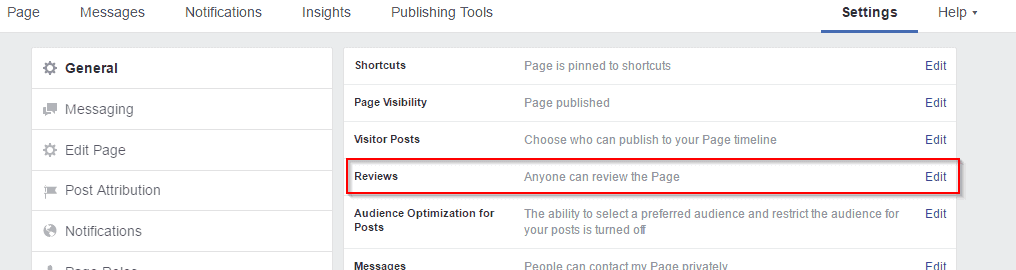
- Select Allow visitors to review this Page and press Save Changes

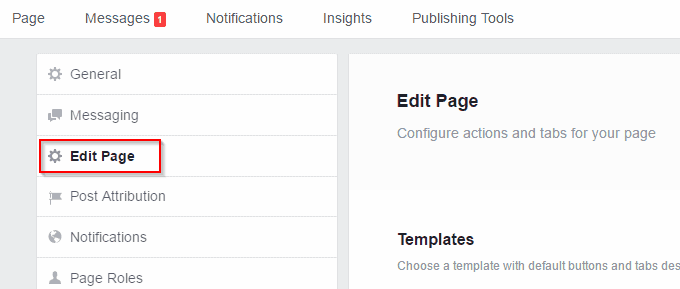
- Click on Edit Page

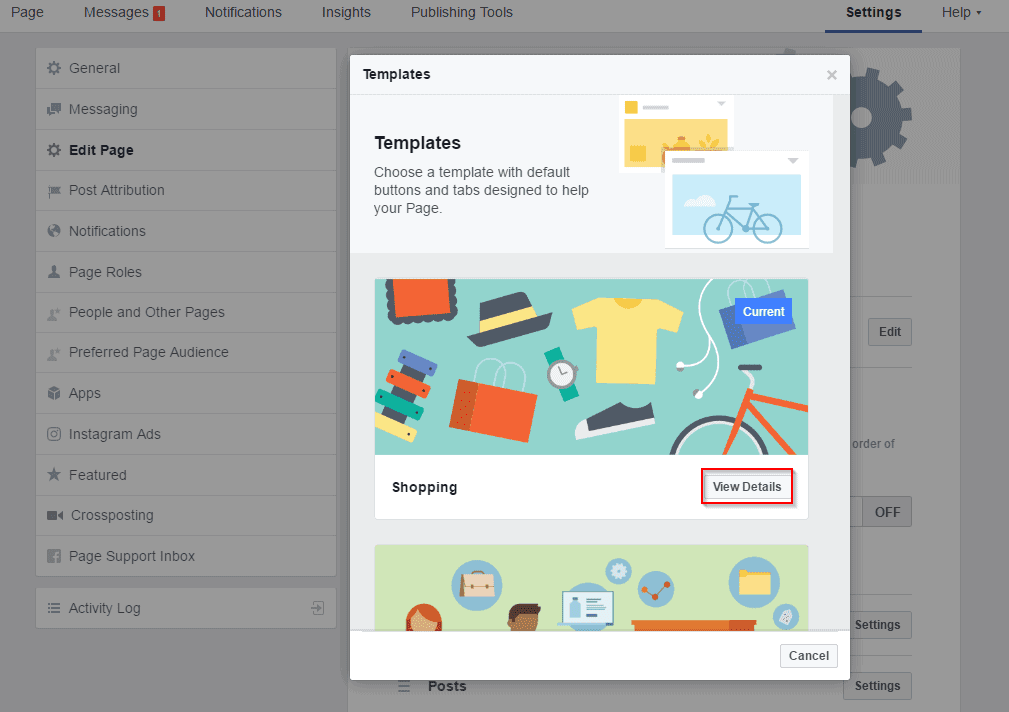
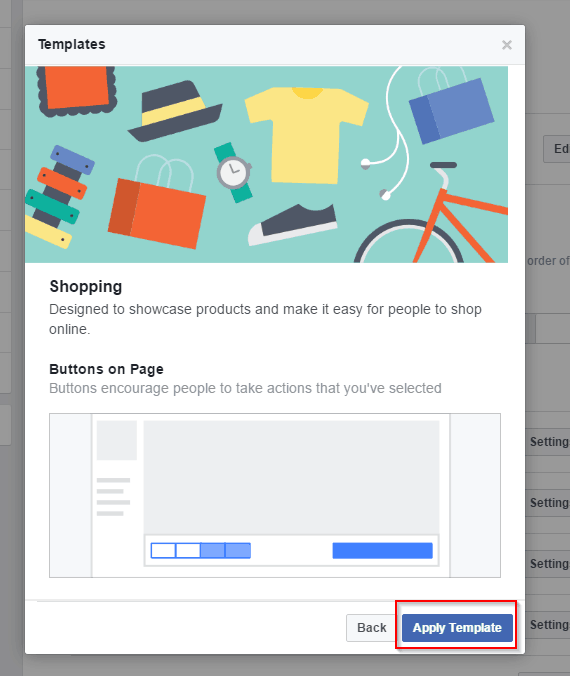
- Select from the list Shopping or another template that display the Reviews Tab. My one was set to Standard which didn’t have the Reviews Tab. Click on the View Details button

- Click on Apply Template

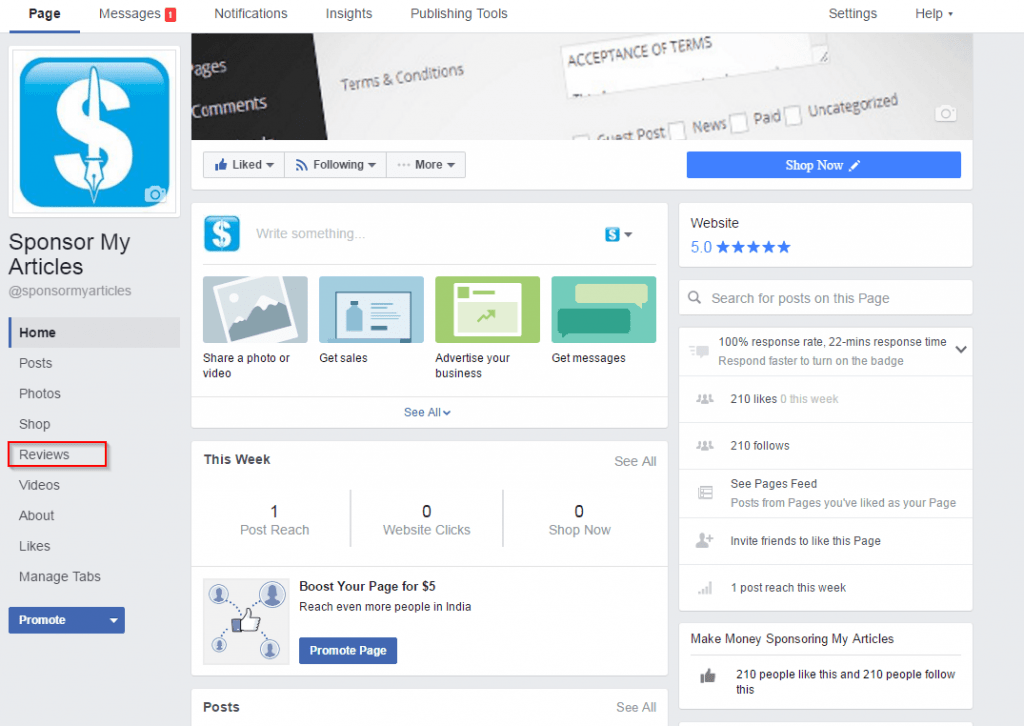
- Once you apply the template, the Reviews Tab will be visible
Here’s a recent review: