

I recently had to get a Twitter account unsuspended. The process of getting a Twitter account unsuspended was pretty easy and straightforward. It was very different from getting a WEBSITE ON FACEBOOK UNBLOCKED
I submitted the request and overnight the Twitter team unsuspended the account, so the turnaround was pretty fast. The Twitter website page and form I used is this in case you need it: APPEAL AN ACCOUNT SUSPENSION OR LOCKED ACCOUNT
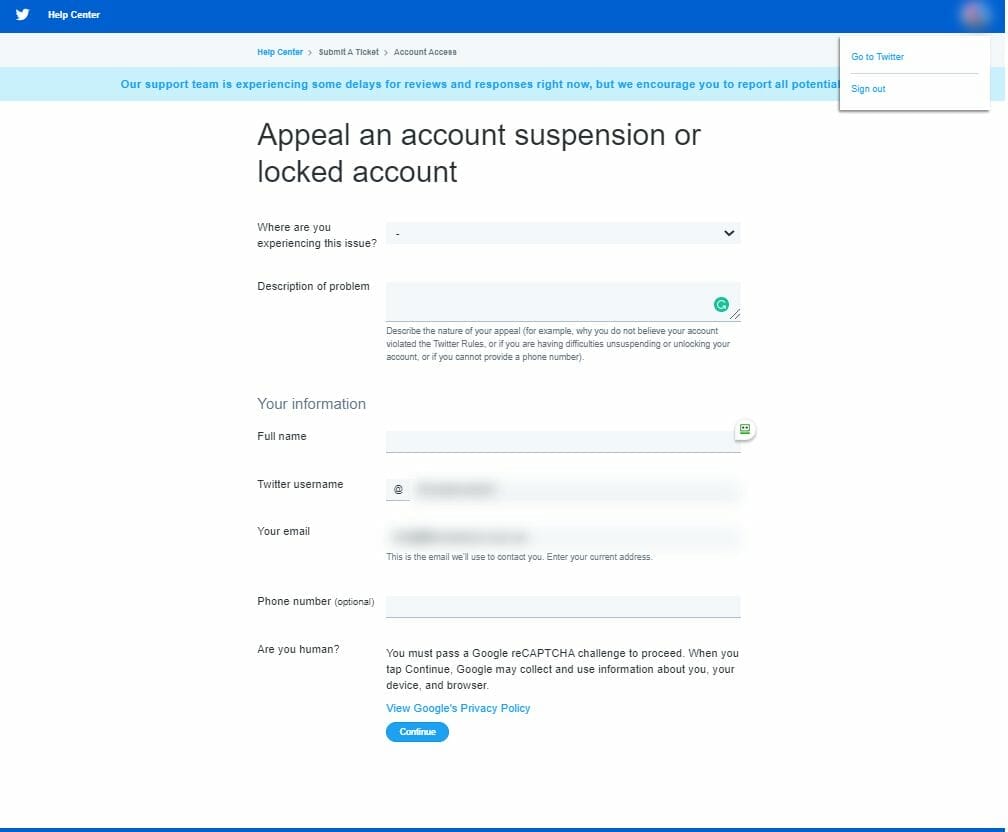
It is always best to log in with the Twitter account you want to unsuspend first before you submit the form. That way the Twitter username and email are already included in the form. To complete the form you need to answer these questions and I included my responses as an example – it worked for me and it may work for you as well.
Where are you experiencing this issue? My desktop browser
Description of problem: Account is suspended. Can you please unsuspend the account
Full Name: [your name]
Twitter username: @[your Twitter account username]
Your email: [the email address associated with the Twitter account]
Phone number: this is only optional and I didn’t enter a number
Are you human? [this is the Google reCAPTCHA and you will need to make sure you do this part] by pressing continue and then select I’m not a robot
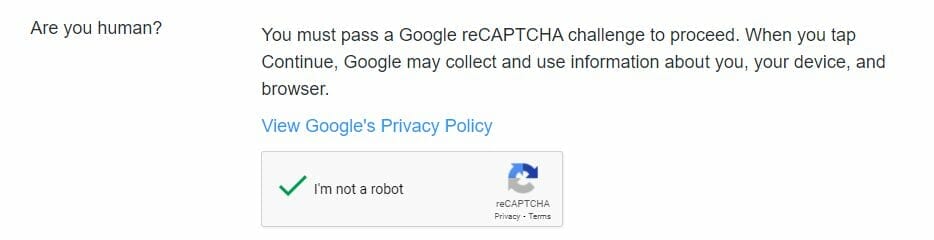
Press submit once you have completed all the fields and then wait for the account to be unsuspended. I didn’t receive any notifications the account was successfully unsuspended – I just happen to check in the morning and was able to post.
I hope this helps you and if it does share it with your friends and followers.




