Deep work is the skill that underpins so much of what we do as entrepreneurs and creators. Whether I am editing a long video, writing a detailed guide, or troubleshooting a tricky bit of technology, my ability to get into the zone and stay there can make the difference between a productive day and a scattered one. Over the past couple of years I have been using Brain.fm, a digital audio service that uses science designed music and immersive soundscapes to guide your brain into a specific mental state. It promises to help with focus, creativity, meditation, relaxation and sleep. I have mostly used it for focus and sleep.
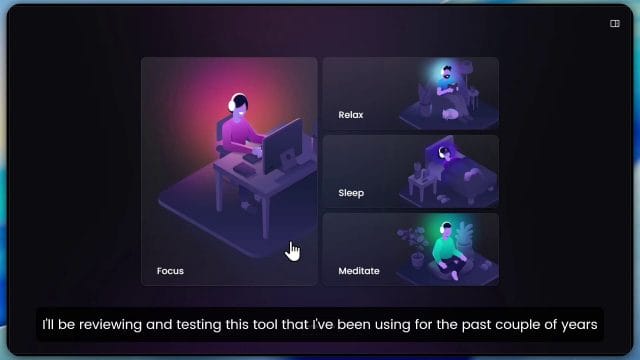
I will walk you through how I use Brain.fm in my workflow, share the settings that have worked best for me, and explain the ideas behind the music itself. You will see where I think it truly helps, where it is less useful, and how to test it for yourself. If you are curious to try it, there is a thirty day free trial which is a generous period to see if it fits your routine. I will include a link so you can explore further.
What Brain.fm Is and Why It Might Help
Brain.fm is a subscription service that streams purpose built audio sessions. The sound is crafted using a mix of musical composition and acoustic engineering to encourage your brain into different modes. The available modes include focus, creativity, meditation, relaxation and sleep. The team describes the technology as neuroscience driven with patented audio methods. The idea is not ordinary background music. Instead it is music shaped to minimise distraction, encourage sustained attention, and in some cases ease the transition into rest.
I went into it with a healthy amount of scepticism. It is hard to tell whether an audio track itself is making the difference or whether a new routine is simply helping. Many people say the same thing about productivity methods. That said, after long days of testing and plenty of real work sessions, I find it better than listening to ordinary music. I return to it often for deep work and I use the sleep mode when I want a gentle sonic bed that keeps me settled rather than stimulated.
Getting Started on Web and Mobile
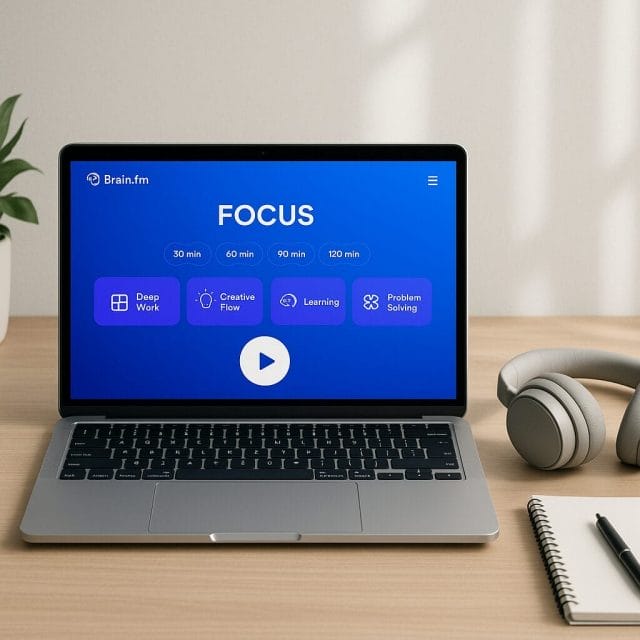
You can use Brain.fm both on the web and via mobile apps. I often use the web based version when I am at the desk. I also have it installed on my phone for when I am working elsewhere or preparing to wind down at night. The interface is clean. You pick a mode, choose a sub category such as deep work or creativity, set a duration, and press play. You can pause and resume at any time.
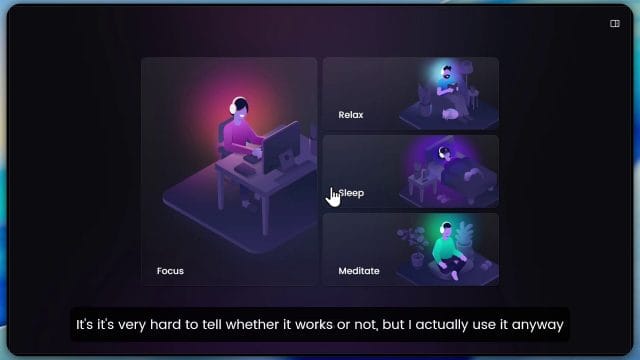
Here is a typical flow when I start a deep work session in the focus section. I select Focus from the menu. I pick Deep Work as the target. I set the session duration. Usually I start with thirty minutes and then extend if I am in a good rhythm. I choose the soundscape and press play. If I am writing, I sometimes switch to Creativity within Focus and apply the change. The algorithm updates the texture and pacing. In one session you might hear gentle rain forest elements, a low calming pulse, or a smooth tonal wash. The goal is to nudge your attention in the right direction without grabbing it.
What the Audio Is Doing Under the Hood
Brain.fm talks about patented audio technology and a neuroscience algorithm. Without overcomplicating it, the core approach uses patterns in rhythm, frequency modulation, and spatial cues to influence how your attention behaves. When a sound is too melodic or too dynamic, your brain tracks it closely and you get pulled away from the task. When sound is too bland or too static, your brain habituates and you notice external noises more easily. The sessions sit in the middle ground where the auditory system is engaged gently. The aim is to provide an environment that reduces impulsive shifts and keeps your attention soft but steady.
Several psychoacoustic techniques are likely in play. The pacing of tempo is designed to suit the target state. The underlying pulses may align with comfortable breathing rates or with patterns that promote an even cadence. Frequencies are chosen to avoid the spikes that grab conscious attention. Spatial elements place the sound around you in a way that feels immersive but not distracting. It is not about binaural beats, at least not in the simplistic sense, and it is not about a single magic frequency. It is an engineered mix meant to keep you centred in the work.
What matters in practice is simple. The audio should help you settle quickly, stay on task, and minimise the urge to check messages or jump between windows. When you switch to Sleep, the texture shifts again. The density softens, the transients are smoother, and the pacing slows. The changes are subtle but noticeable. If you ask does this make you sleepy, the answer is that the Sleep mode is designed to help with winding down and can be used to support that transition. For Focus, the goal is not to make you drowsy. It is to keep you gently alert.
Choosing Modes for Different Work
In my routine, Focus is where I spend most time with Brain.fm. Within Focus, Deep Work is excellent for concentration heavy tasks. When I am editing video, sequencing a complex tutorial, or working through code and logs for car diagnostics, Deep Work holds my attention on the next step rather than the next notification. Creativity within Focus has a slightly more open and flowing texture. I find it useful when I am brainstorming ideas, writing outlines, or testing options in software where I want lateral thinking without losing structure.
Sleep mode is not music designed to knock you out instantly. It is music that creates a consistent audio backdrop without bright edges. If you live near a busy road or your building has mechanical noises at night, that neutral backdrop can help your brain tune out the interruptions. I have used it while travelling when the day was long and I needed a consistent routine in a new environment. Relaxation is useful late in the evening when I want to unwind but not go straight to sleep. Meditation is a different style, with slower tones and breathing friendly pacing.
How I Use Brain.fm in a Deep Work Block
If you have followed my posts on solving video jitter issues in Filmora, testing open ear headsets, and creating guides for tools, you will know I like to test things in practical contexts. Here is the routine that works for me.
- Prepare the space. I close extra tabs, silence notifications, and put the phone face down. If I am editing, I open only the project I am working on. If I am writing, I open the editor with a blank distraction free view.
- Pick a focus mode. I choose Focus then Deep Work. If I am stuck creatively, I switch to Creativity within Focus for the first half hour.
- Set a session duration. I start with thirty minutes. This gives me a defined block without feeling heavy. If I am in flow at the end, I extend another thirty minutes.
- Choose a soundscape. I look for a neutral texture. Rain forest elements are nice for me when I need a sense of freshness without melody. I avoid anything that feels song like.
- Press play and ease in. I let my attention settle for a minute. I take a single deep breath and begin the task.
- Review at the end. I ask what got done, how often I looked away, and whether the audio felt too present. If it was too present, I lower the volume or try a different texture next time.
Testing Brain.fm Against Ordinary Music and Silence
I did not want to rely only on feelings. So I ran simple tests over a few weeks with three audio conditions. The first was silence with only ambient room noise. The second was ordinary music from my usual playlists. The third was Brain.fm Focus sessions. I did the same kinds of tasks in each condition and logged results.
On writing days I tracked words written in a forty five minute block and noted how many times I switched windows or checked messages. On editing days I tracked the number of timeline changes and exports in a set period. On troubleshooting days, such as working with OBD tools for car diagnostics, I tracked how many steps I completed and how often I switched to unrelated tasks.
Silence was fine when the room was very quiet. In real conditions there were too many interruptions. Ordinary music felt lively but pulled me into lyrics or rhythms. I enjoyed it but I was less steady in my attention. Brain.fm Focus was not magical, but it was consistently helpful. I switched windows less often. I felt the urge to check the phone less often. The flow felt smoother with fewer mini stops and starts. That was enough for me to keep using it.
Tips to Get the Most From Focus and Creativity
If you are thinking of trying Brain.fm, a few simple practices will help you get better results.
- Use headphones when possible. The spatial effect is more present and stray sounds are reduced. I have been testing open ear headsets recently which are great for comfort during long sessions. For pure focus, closed ear or noise cancelling headphones can give a tighter audio bubble.
- Set a timer separate from the app. A physical timer or a simple on screen timer marks the end of the block. You will not feel tied to the audio for the time control.
- Keep the volume modest. Loudness increases arousal and can become distracting. A comfortable low volume is better for long steady work.
- Pick one or two soundscapes and stick with them. Chasing novelty is another form of distraction. If a texture suits you, use it on repeat sessions.
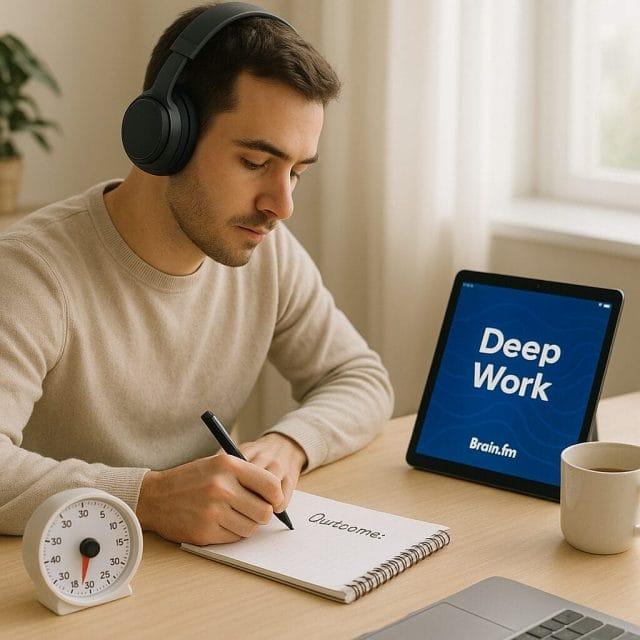
- Pair it with a clear plan. Before you press play, write down the single outcome you want from the block. That tiny commitment boosts focus far more than any audio alone.
- Use Creativity within Focus for ideation and problem framing. Switch to Deep Work when you have chosen the path and need execution.
What If the Audio Feels Distracting
Some people find that any audio during work can be distracting. If you try Focus and it feels too busy, here are some adjustments.
- Lower the volume. Often volume is the issue rather than the sound itself.
- Choose simpler textures. The rain forest sounds are gentle. You can also look for minimal tonal washes rather than rhythmic pulsing.
- Shorten the first session. Try fifteen minutes to test the feel.
- Turn off other environmental sounds. Close windows, move away from busy areas, or use a soft earplug if safe and comfortable.
- Experiment with different headphones. An earbud that leaks external noise can compete with the audio. A better seal can improve the experience.
Using Sleep and Relax Without Feeling Groggy
I have used the Sleep mode many times. It changes the algorithm and texture so that the sound supports winding down. The transients are rounded. The pacing is slower. Some sessions include gentle environmental elements like distant wind or soft night ambience. When you are in bed and ready to rest, this can be better than silence in a noisy environment.
Does this make you sleepy. If you are alert and not resting, Sleep will not force sleep. It is better to use Sleep when you are already planning to rest. Relaxation is nice in the evening when you want to calm the nervous system but still read or stretch. Meditation mode is configured for slow breathing and gentle attention. If you are sensitive to sound, keep the volume very soft. The aim is not to create a lullaby at high volume. It is to create a consistent audio backdrop that reduces attention spikes.
Audio Quality and Headphone Choice
Headphones matter. The audio in Brain.fm is not about deep bass drops or sparkling treble. It is about stable texture and smooth pacing. You do not need expensive hardware, but comfort and fit are important. Over ear headphones give a stable experience for long sessions at the desk. Open ear headsets, like the ones I tested recently, give better environmental awareness which is good if you move around or need to keep an ear open in the workplace. Earbuds are useful for travel. If you use noise cancelling, be mindful of the pressure feeling some people get. Find what is comfortable for you.
Audio quality should be clean, not showy. You want to avoid distortion and peaks. Set the app or web player to a stable volume and leave it there. If your headphones have a companion app, turn off enhancements that add spatial effects or strong equalisation. The engineered mix in Brain.fm is already tuned for the target state. Extra processing can add unwanted novelty.
Pairing Brain.fm With Common Workflows
Here are examples of how I pair Brain.fm with work tasks and tools that appear often on this site.
- Video editing in Filmora. I start a Deep Work session for the first rough cut. When I move to fine edits, I often pause the audio for short segments to listen closely to the clip audio, then resume the session. During export and checks, Relaxation can be better if the workflow feels repetitive.
- Writing long guides. Creativity within Focus is helpful for the first block when outlining structure and generating section ideas. I switch to Deep Work for drafting paragraphs and refining wording. The clear switch signals a change from open thinking to precise output.
- Tool testing and troubleshooting. For tasks like testing an OBD tool or measuring performance of a gadget, Deep Work helps me follow the steps in order. I use a timer and a list of actions and keep the audio running in the background so my attention does not wander to unrelated results.
- Learning sessions. If I am watching a tutorial or reading documentation, Relaxation can be better than Focus. It keeps me calm and attentive without adding an urge to push forward too hard.
Does Brain.fm Work
The honest answer is that it depends on your expectations and your habits. Brain.fm will not write your report for you. It will not fix an editing timeline by itself. What it can do, in my experience, is reduce the mental friction and micro distractions that pull you away from the task. If you are willing to set a clear outcome for a session, close distractions, and work steadily, the audio can be the supportive environment that lets you do that for longer and with fewer lapses.
I have tried it in busy environments and quiet rooms. In a busy environment it helps mask small interruptions while keeping my attention soft. In a quiet room it prevents the mind from drifting too easily because the texture provides a gentle anchor. Compared to ordinary music, it is less likely to lead me into lyric tracking or anticipation of the next chorus. Compared to silence, it provides a stable background that is more friendly to sustained attention.
Switching Between Modes Mid Session
In the app, you can change modes during a session. I often start with Focus Deep Work. If I feel stuck, I apply the Creativity option to adjust the feel. The algorithm changes elements such as texture density and rhythmic pacing. The rain forest sounds are one example of environmental elements that appear in some Creativity sessions. They make the sound feel fresh without adding melody. If a session feels too bright, I go back to Deep Work, which is usually more neutral.
For longer sessions, ninety minutes or more, I break it into blocks. The first block is Deep Work. The second block is Creativity if the task shifts to ideation. If I am finishing with repetitive checks, I sometimes choose Relaxation to keep mental tension low. At night, I use Sleep separately. Sleep is not for day work. It is for winding down and settling toward rest.
Handling Pauses and Interruptions
Work days are rarely perfect. You will need to pause for calls, emails, or a quick note. Brain.fm makes pausing easy. Press pause, handle the interruption, and press play to resume. The audio supports the return to task because the texture is familiar and neutral. When you resume after a pause, take ten seconds to settle. Look at your outcome sentence, breathe, and pick the next step in the sequence. The small reset keeps you from drifting.
Interruptions happen. Focus is about how quickly you return, not having zero interruptions at all. If a day is full of interruptions, choose shorter blocks with Brain.fm. Fifteen to twenty minutes can still yield good progress. Keep the audio consistent across blocks so your mind recognises the return to work quickly.
Practical Considerations for Try Before You Buy
If you are unsure whether Brain.fm will help you, use the trial for thirty days. Plan a simple test routine.
- Pick three types of work. For example writing, editing, and troubleshooting.
- Set three blocks per week for each type during the trial. Use Brain.fm for one block each time, silence for one block, and ordinary music for one block.
- Track simple measures. Words written, tasks completed, number of window switches, or number of times you checked the phone.
- Write an end of week note on how you felt, how quickly you settled, and whether you felt more or less drained after sessions.
- At the end of the trial, review notes and decide. If the difference is small but consistent, the service might be worth it. If you do not notice any benefit, keep the routine improvements and use another audio method.
Common Questions and Straight Answers
- Is Brain.fm different from ambient playlists. Yes. Ambient playlists can be lovely but they are not engineered for attention. Brain.fm sessions are built with specific psychoacoustic goals.
- Do I need to understand the science to benefit. No. The practical approach is simple. Play Focus, set a time, and work. That is enough to test whether it helps you.
- Will the audio make me sleepy. Focus sessions should not. Sleep sessions support winding down. Use the right mode for the goal.
- Can I use it while driving. I would not recommend testing Sleep or Relaxation while driving. For long drives, choose music or silence that keeps you alert. Focus can be fine for stationary work. Safety first.
- Does it help with meditation. The Meditation mode offers slower pacing and gentle tones that can aid breath awareness. If you prefer silence, use silence. If sound helps you settle, try it.
- Is it better than white noise. White noise can mask distractions but can feel fatiguing over time. Brain.fm offers more varied and comfortable textures.
Final Thoughts on Daily Use
On a day where I have several hours of desk work, Brain.fm is one of the tools I bring in. I still use timers, task lists, and good hardware. I pay attention to light, posture, and breaks. No audio can fix poor habits. But it can support good habits. If you have been struggling to stay present in focus blocks, consider trying it. The cost is small compared to the gains in steady output for many people. The trial is generous and you can run your own tests to see the benefit in your context.
When you switch from Focus to Sleep, you will notice the algorithm changing the texture and feel of the audio. The question does this make you sleepy is answered by your context. If you are preparing for bed, Sleep can help ease the mind. If you are at the desk, use Focus or Relaxation depending on the task. It is all about selecting the right tool for the job.
If you try it, set a clear intention before you press play. Choose the mode that fits the task. Keep volume low. Use comfortable headphones. Keep distractions away. At the end of the block, review what you accomplished. These simple behaviours multiplied across weeks will do more for your productivity than any single trick. Brain.fm can be the steady soundtrack that lets those behaviours stick.
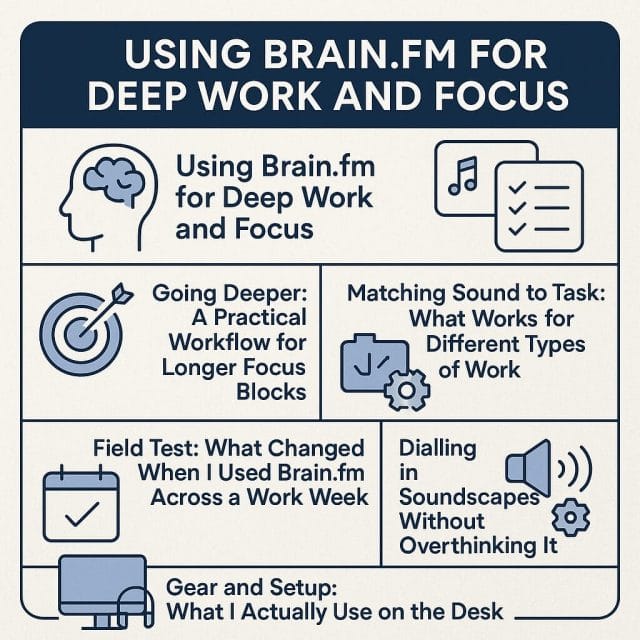
Going Deeper: A Practical Workflow for Longer Focus Blocks
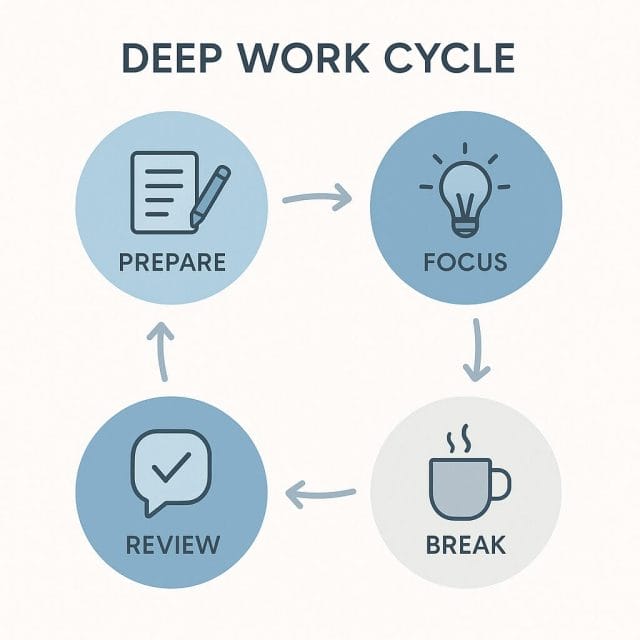
Once the basics are working, the next step is to build a repeatable routine that carries you through a full morning or afternoon. The goal is simple. Get into focus fast, stay there long enough to ship something meaningful, then step away before your energy dips. I use Brain.fm to structure this with a clear beginning and end, rather than letting the day drift.
- Warm up with a short plan. I take two minutes to write the one outcome I want, and three steps I will take first.
- Start a short focus block. I begin with ten minutes on Focus at a lower volume to ease in. If I drift during this ramp I do not count it against the session.
- Move into a main block. After the ramp I set thirty to forty minutes for the main work. This is the time for execution not research.
- Break with intention. I stand up for five minutes, drink water, and avoid my phone. The audio stops. I move away from the desk.
- Run a second main block. If the first block felt strong I repeat it. If energy dips I reduce the length by ten minutes.
- Close with a two minute review. I note what got done, what blocked me, and one change for the next block.
When I remember to follow this template, the day flows better. I am less tempted to check messages, and single tasks get finished in one go, which is a reward in itself.
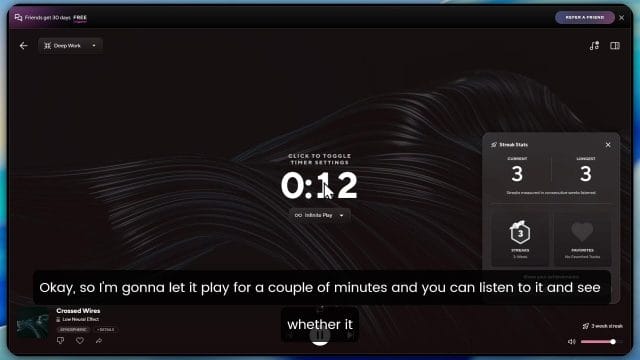
The screenshot above shows the simple controls I lean on most. Mode, sub category, and session duration. I avoid over tweaking and pick one soundscape for weeks at a time. This keeps the audio feeling familiar which reduces novelty and distraction.
Matching Sound to Task: What Works for Different Types of Work
Not all work is the same. I have found that choosing the right sub category inside Focus helps more than chasing a perfect sound. Here is where I land most days.
- Writing and script drafting. Deep Work in Focus set to a neutral texture like forest or rainfall. I keep volume low enough that keystrokes and breathing are still audible. This leads to a steady pace without feeling boxed in.
- Video editing in Filmora. I use Focus Deep Work when cutting and placing clips. If I am choosing music or fine tuning audio I pause Brain.fm because I need to hear the project clearly. When I return to trimming I start Brain.fm again.
- Technical troubleshooting. When I was testing an OBD reader on my car, Focus Creativity helped me explore options without getting bogged down. It kept me alert but flexible.
- Planning and brainstorming. Focus Creativity at a slightly higher volume works when I am on a whiteboard or paper mind map. The added movement in the audio seems to support open thinking.
- Admin tasks. Focus Light or Relaxation makes emails and file sorting more pleasant without pushing me to go fast. It is the right energy for tidy up work.
There is no perfect choice for everyone. The main point is to pick one and stick with it for a week so you can notice patterns. If you change mode every session it is hard to tell what helped and what did not.
Field Test: What Changed When I Used Brain.fm Across a Work Week
I ran a simple five day test to see how much Brain.fm moved the needle. My office is a normal apartment space with some street noise in the background. I used the same laptop, the same desk, and the same external timer for all sessions.
Method
- Tasks. Two writing sessions, one video edit session in Filmora, one troubleshooting session, and one general admin session.
- Conditions compared. Silence with door closed, a familiar playlist, and Brain.fm Focus mode set to Deep Work or Creativity as needed.
- Measures. Words written or tasks completed, time to first distraction, and number of window or phone checks per session.
- Controls. Same time of day for each task type, same coffee, same chair, same break length.
Results
Writing sessions. With silence I wrote roughly eight hundred words in forty minutes and checked windows six times. With a playlist I wrote one thousand words but had eight checks. With Brain.fm I wrote one thousand one hundred and fifty words and checked windows two times. The main change I felt was fewer tiny dips in attention. The words felt like they came in a smoother line.
Video editing session. With silence I progressed through about half of the planned cuts in thirty minutes. With a playlist I got distracted by the music and checked messages three times. With Brain.fm I completed the planned cuts in one pass without checking anything. I paused Brain.fm when auditioning project audio and resumed it during repetitive trimming.
Troubleshooting session. I recreated a bug in a workflow and timed how long the first clear theory took. With silence it took twenty minutes. With a playlist I wandered to documentation and took twenty five minutes with four window checks. With Brain.fm Creativity it took sixteen minutes and two checks. The audio did not solve the problem but it nudged me to keep testing rather than browse.
Admin session. The playlist actually felt fine here because the stakes were low, but I still checked my phone seven times in thirty minutes. With Brain.fm Focus Light I checked twice and cleared the same number of items, with a calmer feeling during and after.
Takeaways
- Brain.fm did not make me faster in every case but it reduced distraction for me in most cases.
- It shines when the task is execution heavy and you do not need to listen to other audio.
- It is less useful when the main task is selecting or editing sound.
- The biggest benefit is a smoother mental state with fewer micro choices to jump apps.
Dialling in Soundscapes Without Overthinking It
The variety of soundscapes in Brain.fm can tempt you to keep switching. I did that at first and it backfired. The trick that finally worked was to treat the sound as a tool not a taste. This is how I choose now.
- Pick a texture that disappears. For me that is rain forest or a gentle electronic bed. If I notice a sound pattern drawing my attention I move to a simpler one.
- Stay with one texture for a whole week. This builds a link between that sound and the feeling of working.
- Adjust volume once then leave it. If you keep nudging the volume it becomes a new micro task.
- Use the same headphones. Consistency matters more than the specific model.
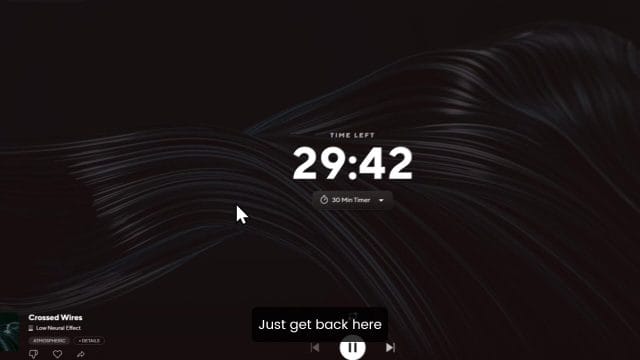
The screenshot shows the area where you can switch between sound categories. I recommend picking one that looks boring. When audio turns into entertainment focus usually suffers.
Gear and Setup: What I Actually Use on the Desk
I have tried Brain.fm with a range of headphones and speakers. The clearest results come from over ear closed back headphones because they block outside noise and keep the audio consistent. That said, there are times when open ear devices are helpful, like when I want situational awareness or I am around others.
Headphones I rotate
- Closed back studio headphones. Best for long sessions at the desk. They pair well with low volume Brain.fm and keep the sound even.
- Open ear headset. I tested a Futuremate open ear model on the site. Open ear is great for light focus when I still need to hear the room.
- Earbuds. Fine for short sessions on the go but I avoid them for long writing sessions because my ears fatigue faster.
Noise in the room matters as well. I reviewed a small rechargeable desk fan and I found that even a gentle fan introduces a constant flutter in the sound. If I use a fan I position it further away and angle it past my body to reduce wind noise in the headphones. Small changes like this add up during a long morning.
Mobile Use: Keeping Focus When You Are Not at the Desk
Brain.fm on a phone is a surprisingly good way to hold attention in places that normally break it. I use it on trains, in a cafe, and sometimes when walking to think through a problem before I sit down.
- Commute sessions. I play Focus Creativity quietly and jot notes on paper. The audio screens out station noise without isolating me.
- Cafe writing. I place the phone in flight mode after starting a session. Volume stays low. This turns a busy place into a steady background.
- Walking ideas. I use a single earbud at low volume and record voice notes. Movement plus gentle audio helps ideas surface.
If you try mobile sessions, give yourself a clear finish line. For example, write four paragraphs before you order another drink, or outline three bullet points by the next station. The combination of a defined outcome and the audio keeps the mind from drifting into passive scrolling.
Integrating Brain.fm With Timers and Checklists
A session is only as good as the boundary you place around it. I rarely rely on the in app timer alone. I pair the audio with an external timer and a physical checklist. The act of pressing start on both creates a small ritual that flips the brain to work mode.
Simple integration that works
- Set a visible countdown on your screen or on a small timer on your desk. I use thirty minutes for hard work and twenty minutes when energy is low.
- Write one outcome on a sticky note and place it in front of the keyboard. If I complete it early I stop the session anyway and review.
- Start Brain.fm then the timer. I avoid touching the mouse and go straight to the first step on the list.
- When the timer ends I stop the audio and stand up. I do not extend the session even if I am in the zone. Protecting the break keeps the next block sharp.
This simple stack is more reliable for me than any complex productivity system. It is the repetition that matters.
Troubleshooting: When Brain.fm Does Not Help
There are situations where Brain.fm will not save a session. These are the most common and what I do instead.
- You are too tired. If your body needs rest, no audio can supply energy. I set a fifteen minute nap or go for a short walk instead, then try a shorter session.
- The task is wrong sized. If the job is too big, the mind will resist. I split it into a smaller deliverable that can be finished in one block.
- The environment is loud. If there is drilling next door or a meeting in the same room, I switch to closed back headphones and lower Brain.fm volume. If that fails I move.
- You need to hear project audio. For sound design, detailed video audio, or meetings, I pause Brain.fm and return to it after.
- The soundscape is too interesting. If I notice the audio, I switch to a simpler track or reduce volume.
It helps to treat Brain.fm as one lever among many. Sleep, food, room temperature, and task choice usually have a bigger impact. The audio is a catalyst once the basics are in place.
Sleep and Recovery: Using the App to Improve Nights
Although my main use is focus, the Sleep mode has become a small but reliable part of my wind down. I used to fall asleep to podcasts and then wake up in the night. Now I run a thirty minute Sleep session with a gentle texture, then the audio stops automatically.
- Start the session before you brush your teeth so there is no screen time in bed.
- Keep volume low enough that you can barely hear it over your breathing.
- Close your eyes and count breaths to twenty. Most nights I do not reach twenty.
If you wake up during the night, resist starting a new session. Instead, sit up for a minute, drink water, then lie down and focus on breathing. For me, keeping the night dark and quiet matters more than the audio itself.
Comparing Brain.fm to Alternatives
There are other options for focus audio. I have tried several. Here is how they felt compared to Brain.fm.
- Playlists with instrumental music. Good for mood, but melodies can snag attention. Fine for admin. Not great for deep writing.
- Brown noise or white noise. Reliable for masking room noise. Can feel flat over time and makes me sleepy if used for long blocks.
- Nature recordings. Pleasant and neutral. Sometimes the bird calls or water variations pull focus.
- Meditation apps. Lovely for wind down but often too slow or sparse for active work.
Brain.fm sits between music and pure noise. It has enough movement to keep you alert without becoming a song. That is the quality that keeps me using it.
Cost and Value: Is a Subscription Worth It
Subscription tools need to earn their keep. The way I judge this is simple. If the tool helps me ship more in less time with less stress, it is worth it. Brain.fm takes one small slice of my budget and gives consistent support for focus and sleep. Over a month even one extra finished script or a calmer edit session pays for it.
To test value for yourself, take a two week trial and keep a small log. After each session record whether you reached your outcome and how many times you checked your phone or windows. If the checks go down and the outcomes go up, keep it. If not, cancel without guilt.
A Seven Day Challenge to Build the Habit
If you are curious but not sure where to start, try this simple challenge. It is designed to fit around a normal week without major changes. The aim is to create a repeatable feel for deep work.
- Day one. Prepare your desk for five minutes. Pick Focus Deep Work. Set a twenty minute session. Outcome is one small deliverable like one paragraph or one email reply that matters.
- Day two. Same setup. Increase to thirty minutes. Write the outcome on a sticky note. When the timer ends, stop even if you are in the zone.
- Day three. Repeat thirty minutes. Switch to a different soundscape only if the first one bothered you.
- Day four. Add a second session after a ten minute break. Keep outcomes small and clear.
- Day five. Use Focus Creativity for a planning or brainstorming task. Still keep it to thirty minutes.
- Day six. Do one session in a different environment like a library or a cafe with low volume. Keep the same headphones if possible.
- Day seven. Rest from focus. Use Sleep mode at night. Write a short review of your week in the morning.
At the end, look at your notes. Did your phone checks go down. Did you finish more one sitting tasks. Did the sessions feel easier by day five. If the answer is yes to any of these, keep the routine and lengthen sessions slowly.
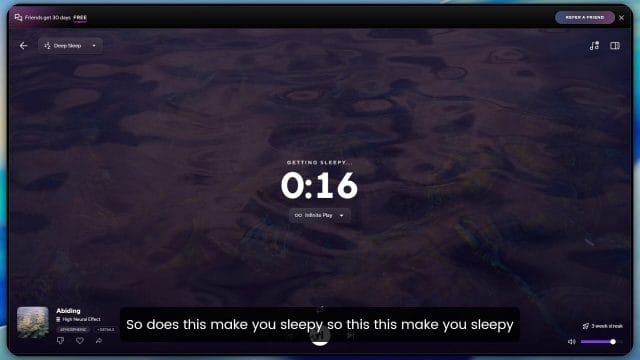
The screenshot above shows the session summary view I look at when I am tracking streaks. I do not chase perfect numbers, but the act of seeing a few sessions lined up helps me show up the next day.
Working With Others: Brain.fm in a Team Environment
If you share a space with family or a team, focus is partly a social agreement. Brain.fm can be a cue for others as well as for you. When I put on headphones and start a session, my partner knows I will be back in thirty minutes. This avoids many small interruptions.
- Share your schedule. Tell people around you that you are doing two thirty minute blocks and that you will be available after.
- Use a visible signal. Place a small card on your desk that says Focus until a certain time.
- Offer a swap. Give others quiet time when they need it. It builds goodwill.
At work, if you cannot block out people, try booking a small room for one session each morning. The combination of a door and the audio is powerful.
Q and A: Common Questions I Hear
How loud should I set the audio
Set it low enough that you can still hear your breathing or keyboard. If you cannot hear those, the volume is probably too high.
What if my internet drops
I keep a local noise track as a backup for those rare times when a connection is unreliable. The goal is to keep the habit of starting a session at the top of the hour, even if the exact sound changes for a day.
Can I use it in meetings
I would not. Meetings require attention to voices. If you want to prime your mind before a meeting, try a five minute Relaxation session before it starts.
Do I need fancy headphones
No. The best headphones are the ones you can wear comfortably for an hour. Consistency beats gear. Closed back helps, but do not wait to start.
Will this work if I have never used focus audio before
Yes. Expect a few sessions to feel odd while your brain gets used to it. That is normal. After a week or two the audio feels like a nudge instead of a new thing.
Small Optimisations That Add Up
Beyond the main routine, here are tiny changes that made my sessions stronger.
- Dim the screen a little during deep work. Bright screens invite tabs. A slight dim makes the current window more central.
- Remove the phone from the desk. Put it face down in another room. If you must keep it handy, enable focus mode and place it behind your laptop stand.
- Close every app not needed for the current task. Fewer icons equals fewer choices.
- Prepare water and a snack before you start. Leave the chair only on the break.
- Keep a single emergency notepad. If a thought pops up write it down and return to the task.
None of these are clever, but together they create a smooth path into work so the audio can do its job without fighting chaos.
Real World Anecdotes: Where Brain.fm Helped Me Most
Here are a few specific moments where the audio made a difference.
- Rewriting a stubborn intro. I had three versions that felt flat. I set a twenty minute Focus Creativity session and tried a totally different angle. The audio kept me from judging every sentence. The new version stuck and I shipped it that afternoon.
- Long export time in Filmora. While a project exported, I normally would browse. With Brain.fm playing, I opened a draft post and outlined it instead. Ten minutes later the export finished and I had a head start on a new piece.
- Pre run nerves in Vietnam. On day ten of my running streak, I was jittery. I sat for five minutes with Relaxation and focused on breathing. It was not dramatic, but the start of the run felt calmer.
When to Turn It Off
Focus tools can become crutches if used without thought. I intentionally keep Brain.fm off in a few moments to keep my brain flexible.
- First coffee of the day. I sit for five minutes with silence and look at my plan. This centres me before the first session.
- Creative play. When I am sketching logo ideas by hand or taking photos, silence helps me feel the space.
- Deep conversations. Silence signals presence. Audio would get in the way.
This balance keeps the audio special. When I press play my mind knows it is time to move.
Checklist: Your First Focus Session in Three Minutes
- Write one outcome for the next thirty minutes.
- Place your phone out of reach and set a timer.
- Pick Focus Deep Work in Brain.fm and a neutral texture.
- Start the audio and the timer. Do the first step immediately.
- When the timer ends, stop and stand up. Note what worked.
If you only follow this checklist for a week, you will feel a shift. The audio is the thread that ties these steps together with less friction.
Final Thoughts
Deep work does not require perfect tools. It requires a decision and a start. Brain.fm gives me a reliable way to step over the start line and stay on the path long enough to finish. It does not feel flashy. It feels like a quiet helper that fades into the background once the fingers hit the keys. If you have struggled to hold attention with ordinary music or with silence, it is worth a try.
Keep it simple. Pair the audio with a clear outcome and a timer. Protect your break. Review briefly. Then repeat tomorrow. That rhythm has served me well across writing, editing, and troubleshooting, and it will likely serve you too.

If this article helped you in any way and you want to show your appreciation, I am more than happy to receive donations through PayPal. This will help me maintain and improve this website so I can help more people out there. Thank you for your help.
HELP OTHERS AND SHARE THIS ARTICLE
LEAVE A COMMENT

I am an entrepreneur based in Sydney Australia. I was born in Vietnam, grew up in Italy and currently residing in Australia. I started my first business venture Advertise Me from a random idea and have never looked back since. My passion is in the digital space, affiliate marketing, fitness and I launched several digital products. You will find these on the portfolio page.
I’ve decided to change from a Vegetarian to a Vegan diet and started a website called Veggie Meals.
I started this blog so I could leave a digital footprint of my random thoughts, ideas and life in general.
If any of the articles helped you in any way, please donate. Thank you for your help.
Affiliate Compensated: there are some articles with links to products or services that I may receive a commission.