

For those runners who use Spotify to listen to podcasts, you will be happy to hear there is now an option to just download the audio version of the podcast. If you’re a JRE (Joe Rogan Experience) fan, then this will be perfect for you, you no longer need to download the full video to just listen to the podcast. In this article I will share with you how you can save, download the audio only version of the podcast on Spotify.
I have only tested this on Spotify using the Android mobile app so I’m not sure if it also works on the Apple iOS phones but here are the steps.
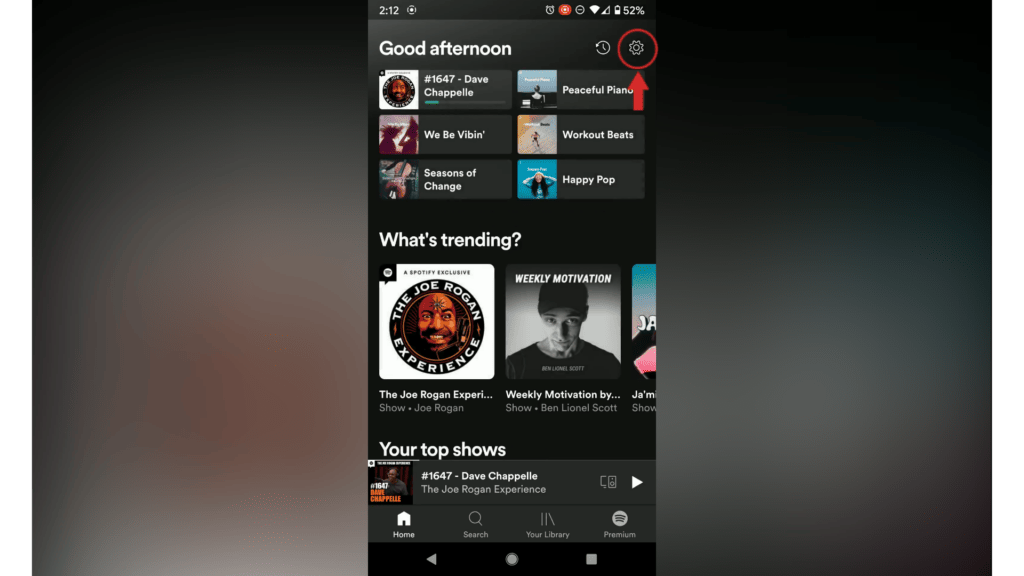
- Click on the settings button (wheel)
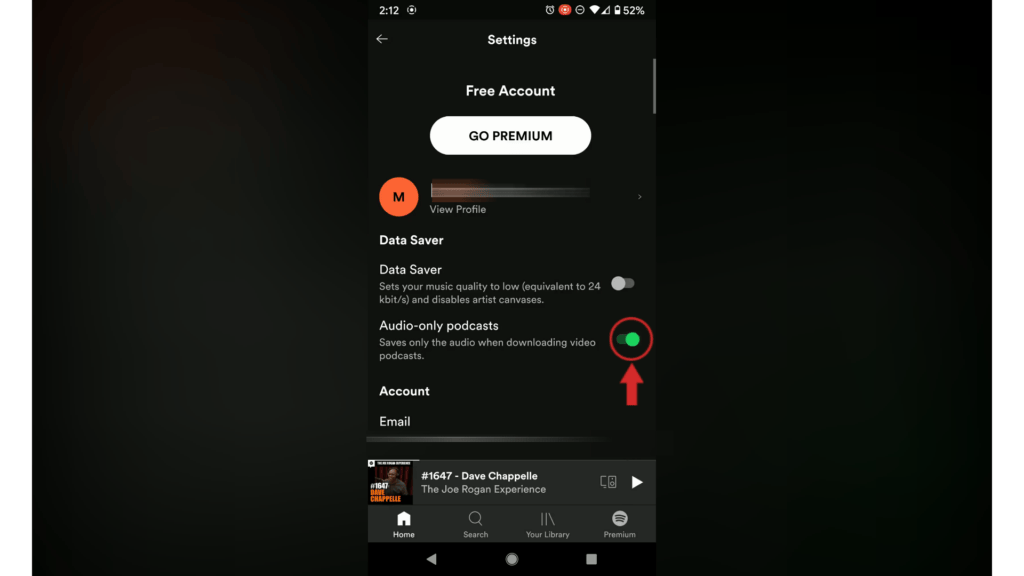
- Click on Audio-only podcast (make sure the toggle turns green)
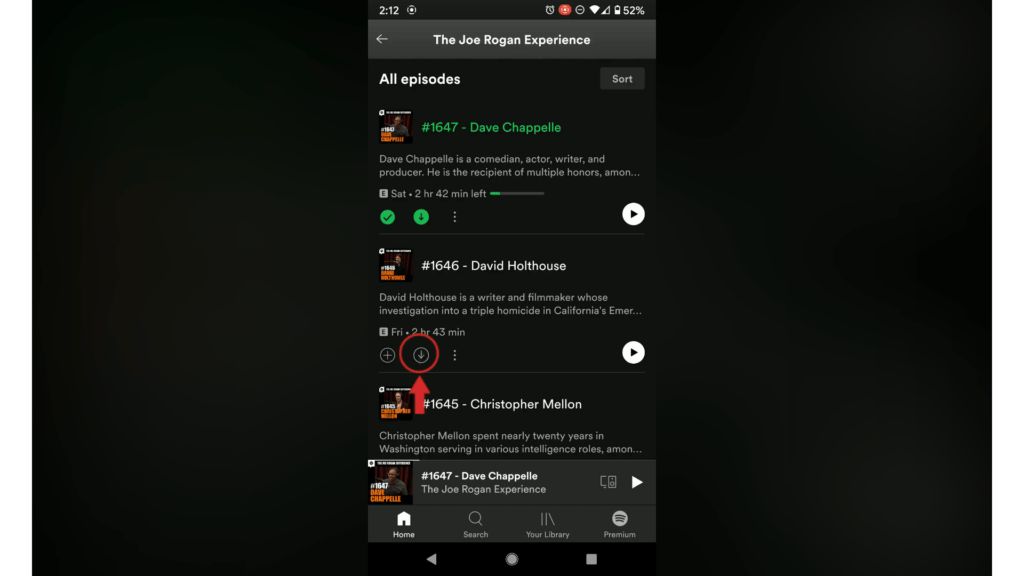
That’s it. When you want to listen to the podcast episode click on the download button and it will download in the background.
You can also watch this video HOW TO SAVE AUDIO ONLY PODCASTS ON SPOTIFY
Hope this article helped and happy podcasting!




